
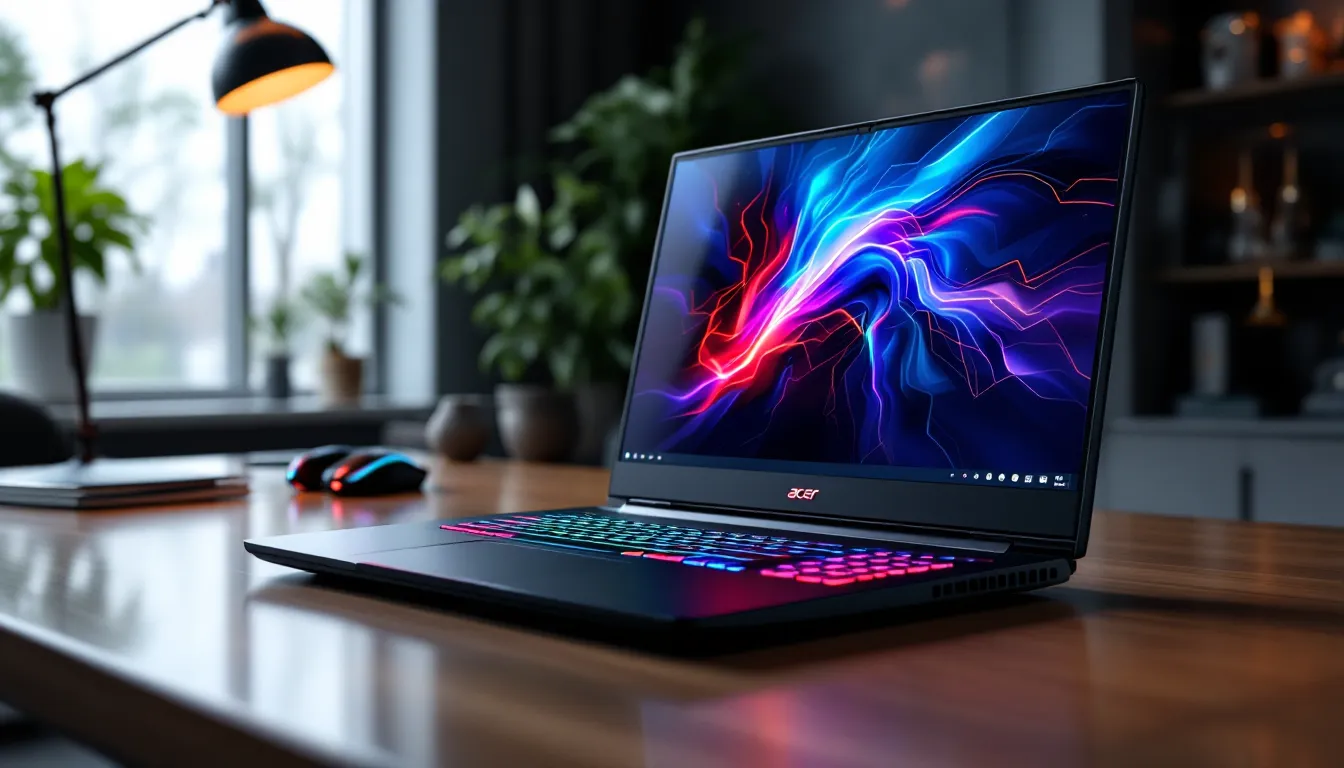

Shopping for a gaming laptop can feel like navigating a minefield of specs, marketing buzzwords, and wildly different price points. Acer has carved out a unique position in this crowded space: delivering legitimate gaming performance without forcing you to choose between rent and a new laptop. Whether you’re hunting for a budget-friendly entry into PC gaming or a powerhouse machine that can handle competitive esports and AAA titles at max settings, Acer’s lineup offers options that punch well above their weight class.
This guide cuts through the noise to help you find the right Acer gaming laptop for your needs. We’ll break down the Predator and Nitro series, examine the specs that actually matter, recommend specific models for different gaming styles, and show you how to squeeze every frame out of your new machine. By the end, you’ll know exactly which Acer laptop fits your gaming goals and budget.
Key Takeaways
- Acer gaming laptops deliver competitive performance at lower price points than premium brands, with similar hardware configurations costing $200-$300 less across both Predator and Nitro series.
- The RTX 4060 GPU paired with an Intel i7-14650HX offers the best balance for competitive esports gaming, consistently delivering 300+ FPS in titles like Valorant and CS2.
- Prioritize GPU first when buying an Acer laptop gaming model, as it determines frame rates more than any other component, followed by display refresh rate based on your gaming style.
- Acer’s 5th-generation AeroBlade 3D cooling technology increases airflow by up to 10% while reducing noise, giving Acer gaming laptops a thermal advantage over competing brands.
- Regular maintenance including vent cleaning every 3-6 months and annual thermal paste replacement can improve performance by 10-20% and extend your Acer laptop’s lifespan.
- Wait for sales events like Black Friday (20-35% discounts) or back-to-school promotions (10-20% off) to maximize savings on an Acer gaming laptop purchase.
Key Takeaways
- Acer gaming laptops deliver competitive performance at lower price points than premium brands, with similar hardware configurations costing $200-$300 less across both Predator and Nitro series.
- The RTX 4060 GPU paired with an Intel i7-14650HX offers the best balance for competitive esports gaming, consistently delivering 300+ FPS in titles like Valorant and CS2.
- Prioritize GPU first when buying an Acer laptop gaming model, as it determines frame rates more than any other component, followed by display refresh rate based on your gaming style.
- Acer’s 5th-generation AeroBlade 3D cooling technology increases airflow by up to 10% while reducing noise, giving Acer gaming laptops a thermal advantage over competing brands.
- Regular maintenance including vent cleaning every 3-6 months and annual thermal paste replacement can improve performance by 10-20% and extend your Acer laptop’s lifespan.
- Wait for sales events like Black Friday (20-35% discounts) or back-to-school promotions (10-20% off) to maximize savings on an Acer gaming laptop purchase.
Why Acer Dominates the Gaming Laptop Market
Acer has become a go-to brand for gamers who refuse to compromise on performance but also aren’t interested in paying the “gaming tax” that some brands charge. The company’s approach combines aggressive pricing with genuinely competitive hardware, creating a value proposition that’s hard to ignore. But it’s not just about being cheap, Acer has developed proprietary tech and design philosophies that give their laptops real advantages over the competition.
Performance That Doesn’t Expensive
Here’s the thing about Acer gaming laptops: they consistently deliver hardware configurations that match or beat competitors at lower price points. A mid-range Predator Helios Neo 16 with an NVIDIA RTX 4060 and Intel Core i7-14650HX can often be found for $200-$300 less than similarly specced alternatives from premium brands.
That pricing advantage doesn’t mean cutting corners on the components that matter. Acer sources the same NVIDIA GPUs, Intel and AMD CPUs, and high-refresh displays as everyone else. The savings come from streamlined designs, efficient manufacturing, and a brand strategy that prioritizes volume over premium positioning. For gamers who care more about frame rates than RGB bling, this approach makes perfect sense.
The Nitro series takes this philosophy even further, offering entry-level gaming laptops with RTX 4050 GPUs starting around $799-$899. These machines won’t max out Cyberpunk 2077 with ray tracing, but they’ll handle competitive titles like Valorant, CS2, and Apex Legends at high settings with 144Hz+ refresh rates.
Innovative Cooling Technology
Gaming laptops live or die by their thermal management, and Acer has invested heavily in cooling tech that keeps components running at peak performance without sounding like a jet engine. The latest Predator series uses Acer’s 5th-generation AeroBlade 3D fans, which feature ultra-thin metal blades (0.08mm) with aerodynamic designs that increase airflow by up to 10% compared to previous generations.
The Vortex Flow cooling architecture routes air through strategic channels across the CPU, GPU, and VRM components. This design creates negative pressure zones that pull hot air away from critical components and exhaust it through rear and side vents. In practical terms, this means sustained boost clocks during extended gaming sessions and quieter operation under moderate loads.
Acer’s Predator Sense software ties into this cooling system, offering custom fan curves and performance profiles. You can set aggressive cooling for competitive gaming, balanced profiles for AAA titles, or quiet modes for lighter tasks. The software monitors real-time temps and clock speeds, giving you visibility into exactly what your laptop is doing under the hood.
Top Acer Gaming Laptop Series Explained
Acer’s gaming laptop lineup is divided into two primary series, each targeting different segments of the gaming market. Understanding the philosophy and positioning of each series helps narrow down your options before diving into specific models.
Acer Predator Series: For Serious Gamers
The Predator line represents Acer’s premium gaming brand, built for gamers who demand high-end performance and are willing to pay a bit more for it. These laptops feature top-tier GPUs (RTX 4070, 4080, and 4090), high-wattage power delivery that lets those GPUs reach their full potential, and advanced displays with 240Hz+ refresh rates or 4K resolution options.
Key Predator models in 2026 include:
- Predator Helios 18: The flagship, offering RTX 4090 configs with Intel 14th-gen HX processors, mini-LED displays with 250Hz refresh rates, and desktop-replacement performance in a portable (if heavy) package.
- Predator Helios Neo 16: The sweet spot for most serious gamers, balancing RTX 4060/4070 performance with 16-inch 165Hz WQXGA displays and more reasonable prices ($1,299-$1,799).
- Predator Triton 17 X: Acer’s slim gaming flagship, measuring under 20mm thin while housing RTX 4080/4090 GPUs thanks to advanced vapor chamber cooling.
Predator laptops also include premium features like per-key RGB keyboards, Thunderbolt 4 ports, 2.5Gb Ethernet, and Wi-Fi 6E/7. The build quality skews toward metal chassis with reinforced hinges, designed to survive years of LAN parties and travel.
Acer Nitro Series: Budget-Friendly Performance
The Nitro series is where Acer competes in the high-volume budget and mid-range segments. These laptops make smart compromises to hit aggressive price points while maintaining playable performance in modern games. Recent testing by gaming laptop reviewers has highlighted the Nitro series as a standout option for entry-level gamers.
Current Nitro highlights:
- Nitro V 15: Entry-level option with RTX 4050, Intel Core i5-13420H or AMD Ryzen 5 7535HS, 144Hz FHD display, starting around $799.
- Nitro 16: The mainstream choice, offering RTX 4060 with 165Hz displays and better cooling than the V series, priced at $1,099-$1,299.
- Nitro 17: Larger 17.3-inch variant of the Nitro 16, same specs with a bigger screen and slightly improved thermals due to the larger chassis.
Compromises in the Nitro line typically include plastic chassis construction, lower-wattage GPU implementations (reducing performance by 5-15% versus Predator equivalents), basic keyboards without per-key RGB, and displays with narrower color gamuts (typically 45-60% NTSC versus 100% sRGB+ on Predators). But for gamers on a budget, these trade-offs are entirely acceptable when the alternative is integrated graphics or console gaming.
Key Specs to Consider When Buying an Acer Gaming Laptop
Gaming laptop specs can be overwhelming, but focusing on a few critical components will get you 90% of the way to the right decision. Here’s what actually matters when choosing an Acer gaming laptop.
GPU: The Heart of Gaming Performance
Your GPU determines frame rates more than any other component. Acer’s 2026 lineup primarily features NVIDIA’s RTX 40-series GPUs:
- RTX 4050 (6GB VRAM): Entry-level, handles 1080p gaming at medium-high settings in AAA titles, high-ultra in competitive games. Expect 60-90 FPS in demanding titles, 144+ in esports games.
- RTX 4060 (8GB VRAM): The sweet spot for 1080p gaming, delivers 90-120 FPS in AAA titles at high settings, easily pushes 200+ FPS in competitive titles.
- RTX 4070 (8GB VRAM): Excellent for 1440p gaming or maxed-out 1080p with ray tracing. Handles VR and content creation workflows comfortably.
- RTX 4080/4090 (12-16GB VRAM): Desktop-replacement performance, capable of 4K gaming at 60+ FPS or ultra-high refresh 1440p gaming.
Pay attention to TGP (Total Graphics Power), the wattage allocated to the GPU. A 140W RTX 4060 will significantly outperform a 95W variant of the same GPU (potentially 15-20% more FPS). Acer typically runs higher TGP in Predator models and lower in Nitro.
CPU: Balancing Power and Efficiency
Modern gaming is increasingly CPU-dependent, especially in simulation games, strategy titles, and competitive shooters where frame pacing matters. Acer offers both Intel and AMD options:
Intel 13th/14th Gen Options:
- Core i5-13420H/14450HX: Entry-level, 8 cores, adequate for gaming but may bottleneck high-end GPUs in CPU-intensive titles.
- Core i7-13650HX/14650HX: 14 cores, the mainstream choice that balances gaming and productivity.
- Core i9-13900HX/14900HX: 24 cores, overkill for pure gaming but excellent for streaming, video editing, and heavy multitasking.
AMD Ryzen 7000/8000 Series:
- Ryzen 5 7535HS: Budget option with excellent efficiency, 6 cores.
- Ryzen 7 7735HS/8845HS: 8 cores, competitive with Intel i7 while often providing better battery life.
- Ryzen 9 7940HS/8945HS: 8 cores with higher clocks, excellent single-thread performance for gaming.
For pure gaming, an i7/Ryzen 7 paired with a strong GPU will serve you better than an i9 with a weaker GPU. Invest in GPU first, CPU second.
Display: Refresh Rate and Resolution
Your display choice depends on your gaming priorities:
For Competitive Gaming:
- 1080p (1920×1080) at 240Hz or 360Hz: Maximum responsiveness, prioritizes refresh rate over visual fidelity. Essential for serious competitive play in CS2, Valorant, Apex Legends.
- Look for 3ms or lower response times and G-Sync/FreeSync support.
For AAA Gaming:
- 1440p (2560×1440) at 165Hz: The sweet spot for immersive gaming with sharp visuals and smooth performance.
- 1080p at 165Hz: More budget-friendly, easier to drive with mid-range GPUs.
For Content Creation:
- 4K (3840×2160) at 120Hz: Available on premium Predator models, offers stunning visuals but requires RTX 4080+ for gaming.
- Prioritize 100% sRGB or DCI-P3 color coverage.
Also check panel type: IPS offers better color and viewing angles than TN, while mini-LED provides superior contrast and HDR performance on premium models.
RAM and Storage: Future-Proofing Your Setup
RAM:
- 16GB DDR5: Minimum for gaming in 2026. Adequate for most games but may limit multitasking.
- 32GB DDR5: Recommended for serious gamers who stream, run Discord, and keep Chrome tabs open while gaming.
- Check if RAM is soldered or upgradeable. Many Acer gaming laptops offer one or two SO-DIMM slots for future expansion.
Storage:
- 512GB NVMe SSD: Bare minimum. Modern AAA games (Call of Duty, Baldur’s Gate 3) can exceed 100GB each.
- 1TB NVMe SSD: The practical minimum for 2026. Provides breathing room for your OS, game library, and files.
- 2TB+ NVMe SSD: Ideal if you maintain a large game library or do content creation.
Most Acer gaming laptops include PCIe Gen 4 SSDs with read speeds around 5,000-7,000 MB/s. Check for additional M.2 slots if you plan to expand storage later.
Best Acer Gaming Laptops for Different Gaming Needs
Not all gaming is created equal. The laptop that excels at competitive esports may be overkill (or underpowered) for other use cases. Here are specific Acer recommendations based on how you actually game.
Best for Competitive Esports
Acer Predator Helios Neo 16 (RTX 4060 config)
This configuration hits the sweet spot for competitive gaming with a 165Hz WQXGA (2560×1600) display, though many competitive players will drop to 1080p to push frame rates above 240 FPS. The RTX 4060 easily delivers 300+ FPS in Valorant, CS2, and Rainbow Six Siege at competitive settings (low-medium graphics, prioritizing visibility).
Key advantages:
- Intel Core i7-14650HX provides excellent single-thread performance for high frame-time consistency
- 16GB DDR5-5600 RAM (expandable to 32GB) for smooth multitasking with Discord and streaming software
- Dual fans with Predator Sense software allow custom fan curves for optimal cooling during extended sessions
- Full-size keyboard with 4-zone RGB and decent key travel (1.6mm) for responsive inputs
Pricing typically runs $1,299-$1,499 depending on sales. For pure esports on a tighter budget, the Nitro 16 (RTX 4060) offers 90% of the performance at $1,099-$1,199.
Best for AAA Gaming
Acer Predator Helios 18 (RTX 4070/4080 config)
For gamers who want to experience the latest AAA titles at maximum fidelity with ray tracing enabled, the Helios 18 provides desktop-replacement performance. The RTX 4070 (175W TGP) delivers solid 1440p performance, while the RTX 4080 variant handles 4K gaming at 60+ FPS in most titles.
The 18-inch mini-LED display (available on higher configs) offers 250Hz refresh rate, 3ms response time, and full DCI-P3 color coverage. This makes it exceptional for both fast-paced action games and slower, visually stunning titles like Starfield, Cyberpunk 2077, or Alan Wake 2.
Expect to pay $1,799-$2,199 for RTX 4070 configs, $2,499-$2,999 for RTX 4080 variants. Yes, that’s desktop money, but you’re getting desktop-class performance in a (somewhat) portable package. Industry benchmarks from technology testing labs consistently rank the Helios 18 among the top-performing gaming laptops.
Best for Streaming and Content Creation
Acer Predator Helios Neo 16 (RTX 4070 + i9-14900HX config)
Streamers and content creators need more than just gaming performance, they need CPU horsepower for encoding, GPU power for gaming, and enough RAM to handle OBS, Streamlabs, and 47 Chrome tabs simultaneously.
This configuration offers:
- Intel Core i9-14900HX with 24 cores (8P + 16E) excels at parallel workloads like video rendering and streaming encoding
- RTX 4070 handles gaming at high settings while also accelerating NVIDIA’s NVENC encoder for low-impact streaming
- 32GB DDR5 RAM (in higher configs or user-upgraded) provides headroom for multitasking
- Thunderbolt 4 ports allow connection to external capture cards, high-speed storage, and multi-monitor setups
The 16-inch 16:10 display (2560×1600) provides extra vertical space useful for editing timelines and managing stream overlays. Price range sits around $1,699-$1,999 depending on exact configuration and current deals.
Optimizing Your Acer Gaming Laptop for Peak Performance
Buying the laptop is just the first step. Proper optimization can yield 10-20% performance gains and significantly extend the lifespan of your machine.
BIOS and Driver Updates
Acer releases periodic BIOS updates that improve power delivery, fan curves, and memory compatibility. Check Acer’s support site for your specific model every few months. BIOS updates for gaming laptops in 2025-2026 have included:
- Improved RAM timings for DDR5 modules
- Higher sustained TGP for RTX 40-series GPUs
- Better thermal throttling algorithms
GPU drivers are equally critical. NVIDIA releases Game Ready drivers for major launches that can improve performance by 5-15% in specific titles. Use GeForce Experience or download directly from NVIDIA’s site. AMD graphics also benefit from regular driver updates if you’re running a Radeon-equipped model.
Chipset and peripheral drivers from Acer’s support page ensure all components communicate efficiently. This includes Intel/AMD chipset drivers, Wi-Fi/Bluetooth drivers, and audio drivers.
Thermal Management and Maintenance
Even the best cooling system degrades without proper maintenance:
Regular cleaning (every 3-6 months):
- Use compressed air to blow dust out of intake and exhaust vents
- For deeper cleaning, remove the bottom panel (usually 8-12 screws) and carefully clean fan blades and heat sink fins
- Avoid contact with internal components if you’re uncomfortable with hardware
Thermal paste replacement (annually or bi-annually):
- Factory thermal paste can dry out after 12-18 months of heavy use
- Replacing with quality aftermarket paste (Arctic MX-6, Thermal Grizzly Kryonaut) can drop temps by 5-10°C
- This is advanced maintenance, consider professional service if you’re unsure
Cooling pad usage:
- A good cooling pad with large fans (120mm+) can reduce temps by 3-7°C under load
- Elevating the laptop improves airflow to bottom intakes
Predator Sense profiles:
- Use Turbo mode for intensive gaming sessions when plugged in
- Switch to Balanced mode for lighter games to reduce fan noise
- Enable Quiet mode for non-gaming tasks to extend component life
Software Optimization Tips
Windows and background processes can significantly impact gaming performance:
Disable startup bloat:
- Press Ctrl+Shift+Esc to open Task Manager
- Navigate to Startup tab and disable unnecessary applications (cloud storage sync, update schedulers, etc.)
Windows Game Mode:
- Enable Game Mode in Windows Settings > Gaming
- This prioritizes CPU and GPU resources for your game
Power settings:
- Set Windows power plan to High Performance when plugged in
- Disable USB Selective Suspend to prevent peripheral lag
Background application management:
- Close Discord, Chrome, and other resource-heavy apps before launching demanding games
- Use Task Manager to monitor background CPU/RAM usage
Storage optimization:
- Keep your SSD at least 15-20% free for optimal performance
- Run Windows Disk Cleanup periodically
- Uninstall games you’re not actively playing
Acer Gaming Laptops vs. the Competition
How do Acer’s gaming laptops stack up against the major competitors? Let’s compare the key players.
Acer vs. ASUS ROG
ASUS’s Republic of Gamers (ROG) line represents Acer’s most direct premium competition. The ROG Strix and Zephyrus series compete with Predator laptops in the $1,500-$3,000 range.
Where Acer wins:
- Price-to-performance ratio: Acer typically undercuts ASUS by $200-$400 for similar specs
- Cooling efficiency: AeroBlade 3D fans and Vortex Flow compete well with ROG’s cooling, sometimes running quieter
- Value-oriented configs: Acer offers more mid-range configurations, while ASUS skews premium
Where ASUS ROG wins:
- Build quality: ROG laptops often feature more premium materials, better keyboard feel, and superior trackpads
- Display quality: ROG’s Nebula displays (especially on Zephyrus models) offer best-in-class color accuracy and brightness
- Software ecosystem: Armoury Crate is more polished than Predator Sense, with better peripheral integration
- Design aesthetics: ROG’s industrial-futuristic design appeals to those who want a more refined look
Bottom line: Choose Acer if you prioritize performance-per-dollar and don’t mind a more utilitarian design. Choose ASUS ROG if you value premium build quality and are willing to pay for it.
Acer vs. MSI Gaming Laptops
MSI’s gaming lineup spans from budget (GF series) to premium (Raider, Titan), directly overlapping with both Nitro and Predator.
Where Acer wins:
- Nitro vs. MSI GF series: Acer’s Nitro laptops generally offer better build quality and cooling at similar price points
- Display options: Acer provides more variety in screen sizes and refresh rates across the lineup
- Software simplicity: Predator Sense is more straightforward than MSI Center, which can be bloated
Where MSI wins:
- Keyboard quality: MSI’s SteelSeries partnerships deliver superior keyboards, especially on Raider/Titan models
- Per-key RGB implementation: MSI’s RGB customization is more granular and visually impressive
- Extreme high-end: MSI’s Titan series offers configurations Acer doesn’t match (desktop CPUs, dual GPUs in previous gens)
Bottom line: Acer’s Nitro series competes better against MSI’s budget offerings than MSI’s GF series deserves. At the high end, it’s a closer fight, with Acer offering slightly better value and MSI offering better peripherals.
Comprehensive comparisons and benchmarks from gaming tech reviewers provide additional performance data across these brands.
Common Issues and Troubleshooting Tips
Even well-designed gaming laptops can develop issues. Here’s how to address the most common problems with Acer gaming laptops.
Overheating Problems
Overheating is the most frequent complaint with gaming laptops in general, and Acer models are no exception.
Symptoms:
- Thermal throttling (FPS drops after 20-30 minutes of gaming)
- CPU/GPU temps exceeding 95°C consistently
- Excessive fan noise with little cooling effect
- System shutdowns during intensive gaming
Solutions:
-
Check Predator Sense settings: Ensure you’re using Turbo mode with max fan speed for demanding games. Custom fan curves can sometimes limit cooling.
-
Verify power settings: Make sure you’re using the laptop’s AC adapter, not running on battery. Gaming on battery severely limits performance and increases heat.
-
Clean vents and fans: Dust accumulation is the #1 cause of overheating. Remove bottom panel and clean fans every 3-6 months.
-
Repaste thermal interface: If your laptop is 18+ months old and heavily used, thermal paste may have degraded. Professional repasting can drop temps by 8-12°C.
-
Elevate the laptop: Use a cooling pad or laptop stand to improve airflow to bottom intakes. Even a simple book under the rear edge helps.
-
Limit background processes: Chrome, Discord, and other apps consume CPU cycles that generate heat. Close unnecessary apps before gaming.
-
Undervolt CPU (advanced): Intel CPUs can often be undervolted by 80-125mV using ThrottleStop or Intel XTU, reducing temps by 5-10°C without performance loss. (Note: 12th gen and newer Intel CPUs have limited undervolting due to locked voltage planes.)
When to contact support: If temps remain above 95°C after cleaning and optimization, you may have a defective heat pipe or fan. Contact Acer support if under warranty.
Battery Life Concerns
Gaming laptops aren’t known for battery longevity, but you should still get 3-5 hours of light use. If you’re seeing significantly less, investigate:
Common causes:
- Gaming on battery: This drains batteries in 60-90 minutes. Gaming laptops are designed for AC power during gaming.
- High refresh display: 240Hz+ displays consume significantly more power than 60Hz. Switch to 60Hz when on battery for non-gaming tasks.
- Background applications: GPU-accelerated apps (Discord, Chrome with hardware acceleration) drain battery faster.
- Battery degradation: After 300-500 charge cycles, lithium batteries lose capacity. Check battery health using HWInfo or BatteryInfoView.
Optimization tips:
-
Windows Battery Saver: Enable in Settings > System > Power & battery when unplugged.
-
Switch to integrated graphics: Use NVIDIA Control Panel to force laptop to use Intel/AMD integrated graphics for non-gaming tasks. This dramatically extends battery life.
-
Reduce display brightness: 40-60% brightness is usually adequate for indoor use and saves significant battery.
-
Disable RGB lighting: Per-key RGB keyboards consume extra power. Turn off or reduce when on battery.
-
Close background apps: Discord, Steam, Epic Games Launcher, and cloud storage sync apps constantly use resources.
When to replace battery: If your battery health drops below 60% of design capacity, consider replacement. Acer and third-party batteries are available, though professional installation is recommended for models with internal batteries.
Where to Buy and What to Look for in Deals
Smart shopping can save hundreds on your Acer gaming laptop. Here’s where to look and when to buy.
Best retailers:
- Acer Direct (acer.com): Often runs exclusive promotions, student discounts (10-15% with verification), and bundle deals with peripherals. Factory warranty is straightforward.
- Best Buy: Excellent for hands-on testing before purchase. Regular sales events (Black Friday, back-to-school) offer significant discounts. Geek Squad protection plans available.
- Amazon: Competitive pricing, especially during Prime Day (July) and Black Friday. Check both Amazon direct and third-party sellers, but verify warranty coverage.
- Newegg: PC-focused retailer with detailed specs and user reviews. Frequent shell shocker deals on gaming laptops.
- Micro Center (in-store): If you have a local Micro Center, in-store exclusive deals often beat online prices by $100-$300.
- Costco (members): Limited selection but exceptional return policy (90 days) and often includes Costco’s extended warranty.
Best times to buy:
- Black Friday/Cyber Monday (late November): Deepest discounts of the year, often 20-35% off MSRP on previous-gen models.
- Back-to-school sales (July-August): Student-focused promotions with 10-20% discounts.
- Prime Day (mid-July): Amazon-exclusive deals competitive with Black Friday.
- New model launches (typically February-April): Previous-gen models see clearance pricing as new RTX/Intel generations launch.
- Holiday sales (December): Post-Christmas clearance and New Year promotions.
Deal red flags:
- “Refurbished” without warranty: Only buy refurbs with at least 90-day warranties, ideally manufacturer-certified.
- Unknown third-party sellers: Stick to authorized retailers to ensure warranty validity.
- Too-good-to-be-true pricing: A $2,500 laptop for $999 is likely a scam, especially from unfamiliar sites.
- Old-gen hardware at current-gen prices: Don’t pay 2025 prices for RTX 30-series laptops in 2026.
What to negotiate/ask for:
- Price matching: Best Buy and other retailers often match competitors’ prices.
- Bundle deals: Ask about free peripherals (mouse, headset, cooling pad) with purchase.
- Extended warranty pricing: Retailers often discount extended warranties if you ask, especially on high-value purchases.
- Student/military discounts: Always ask, even if not advertised. Many retailers offer 5-15% off with verification.
Warranty considerations:
Acer’s standard warranty is 1 year limited. Consider extended warranty for:
- Laptops over $1,500 (higher repair costs)
- If you travel frequently with the laptop (higher damage risk)
- Premium models with expensive components (mini-LED displays, RTX 4080/4090)
Third-party warranties (SquareTrade, Asurion) sometimes offer better value than manufacturer extended warranties. Read the fine print on accidental damage coverage.
Conclusion
Acer has earned its position in the gaming laptop market by consistently delivering performance that matters, high frame rates, responsive displays, and capable cooling, without the premium tax some competitors charge. Whether you’re choosing a budget Nitro for competitive esports or a fully-loaded Predator for maxed-out AAA gaming, the key is matching the laptop to your actual gaming needs rather than chasing specs you’ll never fully use.
Focus on GPU first (it drives your frame rates), then display (refresh rate for competitive, resolution for immersion), then CPU and RAM. Don’t overlook cooling and build quality, especially if you plan to keep the laptop for 3+ years. And remember that proper maintenance, driver updates, and optimization can yield performance gains equivalent to a GPU tier upgrade.
The gaming laptop landscape changes quickly, but Acer’s value proposition has remained consistent: legitimate gaming performance at prices that don’t require a second mortgage. Do your research, wait for the right deal, and you’ll end up with a machine that delivers thousands of hours of high-quality gaming.