
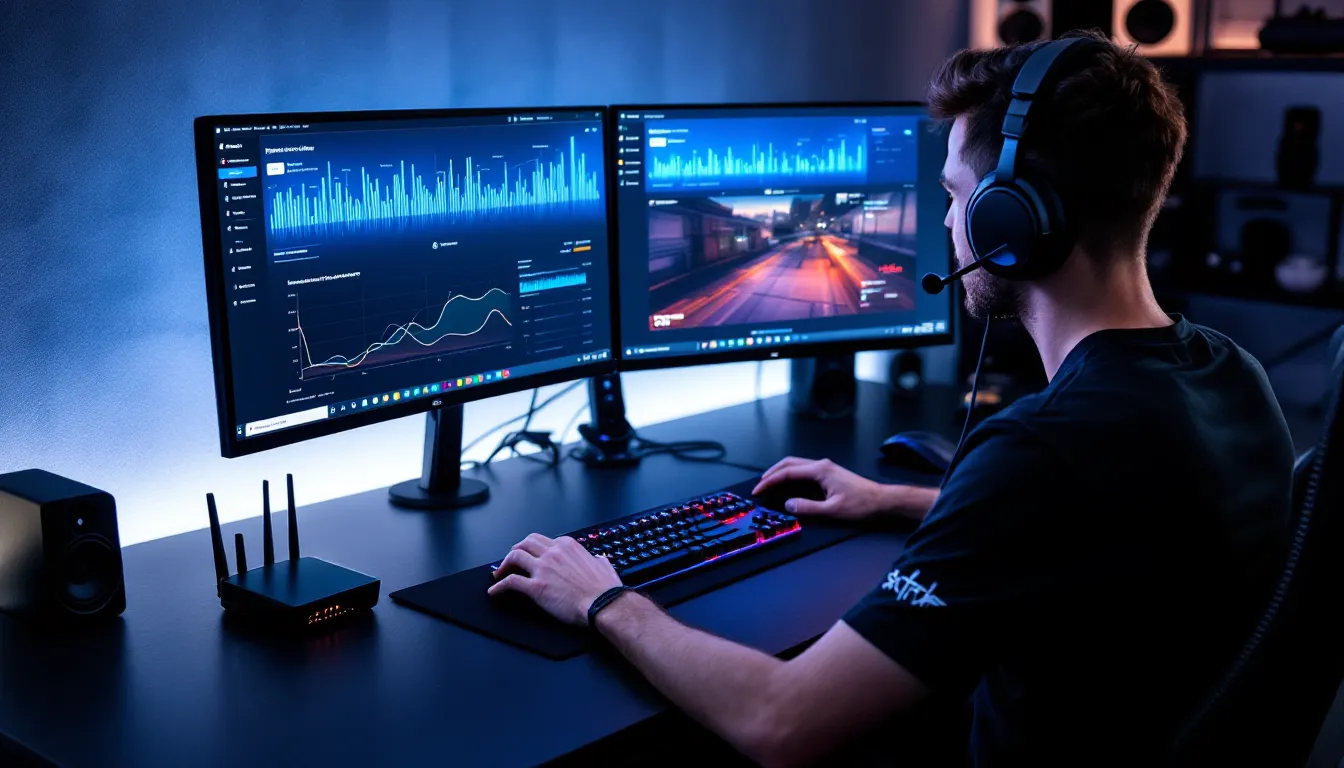

Most gamers obsess over download speed, how fast they can grab that 100GB game update or stream a 4K trailer. But upload speed? That’s the quiet stat sitting in the corner of your ISP’s fine print, and most people assume it doesn’t matter. Here’s the thing: if you’ve ever been kicked from a ranked match with perfect ping, watched your stream turn into a slideshow, or had your voice cut out mid-callout, upload speed might’ve been the culprit.
Upload speed doesn’t get the same hype as download, but it’s doing constant work in the background, sending your inputs to servers, broadcasting your gameplay, and keeping voice chat running. Whether you’re grinding ranked in a competitive shooter, streaming on Twitch, or running game sessions through GeForce NOW, your upload bandwidth is carrying more weight than you think. Let’s break down why it matters, how much you actually need, and what happens when it falls short.
Key Takeaways
- Upload speed is critical for online gaming, sending your character inputs, shots, and ability activations to game servers with minimal delay and jitter.
- Casual online gaming requires only 1-3 Mbps upload, but streaming gameplay demands 6-50 Mbps depending on resolution, making upload speed important for content creators.
- Competitive and esports players need 5-15 Mbps stable upload with low jitter to avoid rubberbanding, desync, and dropped inputs that affect match performance.
- Use a wired Ethernet connection and enable QoS settings to prioritize gaming traffic, preventing background uploads and voice calls from saturating your upload bandwidth.
- Test your actual upload speed during peak gaming hours, and upgrade to fiber with symmetrical speeds if you consistently experience lag, disconnections, or stream dropped frames.
Understanding Upload Speed vs. Download Speed
What Is Upload Speed?
Upload speed measures how fast your device sends data to the internet. It’s measured in megabits per second (Mbps), just like download speed, but it governs everything outbound: your controller inputs traveling to a game server, your webcam feed going to Twitch, your voice chat packets heading to Discord.
Most internet connections are asymmetric, download speed is prioritized because most users consume more than they create. A typical cable plan might offer 300 Mbps download but only 10-15 Mbps upload. Fiber connections tend to be more balanced, sometimes offering symmetrical speeds (like 500/500 Mbps).
For gaming, upload speed handles all the real-time communication between you and the server: your position updates, your shots fired, your ability cooldowns, and every other input the server needs to process.
How Upload and Download Speed Differ for Gamers
Download speed dominates when you’re pulling data in: downloading games, updates, patches, or streaming video content. It’s why a 60GB Call of Duty update takes 20 minutes or two hours depending on your plan.
Upload speed kicks in when you’re sending data out: your character movement in an MMO, your aim adjustments in a shooter, your replay clips uploading to YouTube, or your stream broadcast. Online gaming is a constant two-way conversation, but the upload side is typically much lighter in raw bandwidth, until you add streaming, voice chat, or cloud gaming into the mix.
The asymmetry catches people off guard. You can have 500 Mbps download and still lag in Valorant if your 5 Mbps upload is saturated by a background upload or a sibling’s Zoom call.
Why Upload Speed Matters for Online Gaming
Sending Player Data to Game Servers
Every time a player moves, aims, shoots, or uses an ability, that input gets packaged into a data packet and sent to the game server. The server processes everyone’s inputs, calculates the new game state, and sends updates back. If your upload is too slow or unstable, those packets arrive late or out of order.
Games use different netcode models, client-side prediction, server authoritative, rollback, but they all depend on timely upload of your inputs. A delayed packet means the server sees your action later than it actually happened on your screen. In fast-paced games, that’s the difference between landing a headshot and getting killed first.
Upload speed itself isn’t the only factor, latency (ping) and packet loss matter just as much, but insufficient upload bandwidth creates a bottleneck that can cause jitter, desyncs, and rubberbanding.
Impact on Multiplayer Performance and Responsiveness
In competitive multiplayer, responsiveness is everything. A stable upload connection ensures your inputs reach the server quickly and consistently. Inconsistent upload, caused by bandwidth saturation, network congestion, or poor routing, manifests as stuttering, delayed hit registration, or even disconnections.
Many players with great ping (sub-20ms) still experience performance issues because their upload is choking under load. When multiple devices share the same connection, upload bandwidth gets divided. If someone’s uploading a video to Google Drive while you’re in a ranked match, your packets may queue up and arrive late, causing micro-stutters even if your download is untouched.
Modern matchmaking and anti-cheat systems also rely on upload. Reporting player positions, validating client-side actions, and sending telemetry data all require steady upload throughput.
How Upload Speed Affects Different Gaming Scenarios
Competitive Multiplayer and Esports Gaming
Competitive titles like Valorant, CS2, League of Legends, and Rocket League don’t demand massive upload speeds, typically 1-3 Mbps per session, but they’re extremely sensitive to upload consistency. Jitter (variance in packet timing) is the real enemy.
Pro players often use wired connections and QoS (Quality of Service) settings to prioritize gaming traffic. Many pro player setups include router-level optimizations that reserve upload bandwidth specifically for game packets, preventing background apps from causing lag spikes.
In esports environments, upload stability is verified before matches. Tournament organizers test for packet loss, jitter, and upload consistency because even a 50ms delay in input transmission can decide a round.
Game Streaming on Twitch, YouTube, and Kick
Streaming is where upload speed becomes critical. Broadcasting live gameplay at 1080p60 to Twitch typically requires 6-8 Mbps upload using modern codecs like H.264. If you’re streaming at 1440p or 4K, that jumps to 10-20+ Mbps.
Here’s the catch: you need headroom. If your upload speed is exactly 8 Mbps and you’re streaming at 6 Mbps, any network fluctuation or simultaneous upload (like Discord sending a file) will cause dropped frames, buffering, or stream disconnects.
Streamers often follow the rule of having at least 1.5x the required bitrate in upload headroom. For a 6 Mbps stream, that means a minimum 10 Mbps upload connection. Optimizing stream settings can help squeeze better quality from limited bandwidth, but there’s no substitute for raw upload capacity.
Dual-PC streaming setups alleviate this by offloading encoding to a second machine, but both still share the same upload pipe unless you’re running separate internet connections.
Cloud Gaming Platforms
Cloud gaming services like GeForce NOW, Xbox Cloud Gaming, and PlayStation Plus Premium flip the script. Instead of running games locally, you’re streaming video down and sending inputs up.
While download speed handles the incoming video stream (requiring 15-50 Mbps depending on resolution), upload speed carries your controller/mouse inputs. Cloud gaming is surprisingly upload-light for input alone, usually 1-3 Mbps, but the connection must be stable and low-latency.
The bigger issue is competing traffic. If you’re cloud gaming and someone else is uploading large files, your input packets can get delayed, causing noticeable input lag even if the video stream looks fine. Performance optimization guides often recommend isolating cloud gaming traffic via QoS or using a dedicated connection.
Voice Chat and Video Communication While Gaming
Voice chat apps like Discord, TeamSpeak, and in-game VOIP use relatively little bandwidth, typically 64-128 kbps (0.06-0.13 Mbps) per user for voice-only. Video chat bumps that to 1-3 Mbps per participant.
The problem is cumulative load. If you’re in a Discord call with five friends while gaming and streaming, you’re stacking:
- Game upload: 1-3 Mbps
- Stream broadcast: 6-8 Mbps
- Discord video: 1-2 Mbps
That’s 8-13 Mbps just from simultaneous activities. On a 10 Mbps upload connection, you’re maxed out, and any additional traffic causes packet prioritization issues or outright congestion.
Recommended Upload Speeds for Various Gaming Activities
Casual Online Gaming Requirements
For casual multiplayer gaming, no streaming, no video chat, just playing, most titles require surprisingly little upload bandwidth:
- Battle royales (Fortnite, Apex Legends, Warzone): 1-2 Mbps
- MOBAs (League of Legends, Dota 2): 0.5-1 Mbps
- Shooters (Valorant, CS2, Overwatch 2): 1-3 Mbps
- MMOs (WoW, FFXIV, ESO): 0.5-2 Mbps
- Fighting games (Street Fighter 6, Tekken 8): 1-2 Mbps
A 3-5 Mbps upload connection handles casual gaming comfortably with headroom for voice chat and background app updates. The key is ensuring that bandwidth isn’t being consumed by automatic cloud backups, OS updates, or other devices.
Competitive Gaming and Esports Standards
Competitive and esports players need upload speed that’s consistent, not just adequate. Recommended minimums:
- Solo competitive play: 5-10 Mbps upload
- Team scrims with voice chat: 10-15 Mbps upload
- LAN/tournament environment: Wired, dedicated connection with 20+ Mbps upload and sub-10ms ping
The higher ceiling accounts for QoS overhead, voice chat, replay recording uploads, and network variability. Many competitive players also disable automatic updates, cloud sync, and background apps during practice and matches to preserve upload stability.
Fiber connections with symmetrical speeds (100/100, 500/500, 1000/1000 Mbps) are preferred in the competitive scene because they eliminate upload bottlenecks entirely.
Streaming Your Gameplay at Different Quality Levels
Streaming to platforms like Twitch, YouTube, or Kick requires significantly more upload bandwidth. Here are the standard recommendations as of 2026:
720p 30fps (entry-level):
- Bitrate: 2.5-4 Mbps
- Recommended upload: 5-7 Mbps
1080p 60fps (most common):
- Bitrate: 6-8 Mbps
- Recommended upload: 10-12 Mbps
1440p 60fps (high-quality):
- Bitrate: 10-12 Mbps
- Recommended upload: 15-18 Mbps
4K 60fps (premium):
- Bitrate: 20-30 Mbps
- Recommended upload: 35-50 Mbps
These figures assume you’re also gaming simultaneously, using voice chat, and need headroom for network fluctuations. Streamers with upload speeds below 10 Mbps should cap their streams at 720p or use platforms that support adaptive bitrate encoding.
Signs Your Upload Speed Is Causing Gaming Problems
Upload-related issues can be subtle because they mimic latency or server problems. Here’s what to watch for:
Rubberbanding and desync: Your character teleports backward or enemies appear in unexpected positions. This happens when your position updates arrive late or out of order at the server.
High ping variance (jitter): Ping jumping from 20ms to 80ms and back, even on the same server. Jitter often indicates upload congestion or packet queuing.
Dropped inputs: Button presses, shots, or ability activations that don’t register. If the server doesn’t receive your input packet in time, it won’t process the action.
Stream dropped frames: OBS or streaming software reports “dropped frames due to network” or “insufficient bandwidth.” This is a direct upload bottleneck.
Voice chat cutting out: Discord, TeamSpeak, or in-game VOIP dropping your audio intermittently, especially during intense gameplay moments when more packets are being sent.
Disconnections during peak usage: Getting kicked from matches when other household members start uploading files, video calling, or backing up to the cloud.
If you’re seeing these symptoms on a wired connection with good download speed and low baseline ping, upload bandwidth or stability is likely the culprit.
How to Test and Improve Your Upload Speed
Running Accurate Speed Tests
Speed tests are easy to run but easy to misinterpret. For accurate results:
- Use a wired connection: Wi-Fi adds variability. Connect directly to the router via Ethernet.
- Close background apps: Disable automatic updates, cloud sync, torrents, and streaming.
- Test multiple times and servers: Run tests to different server locations (not just the closest). Use tools like Speedtest.net, Fast.com, or your ISP’s official test.
- Check for jitter and packet loss: Many speed tests show these metrics. Jitter above 10ms or any packet loss is a red flag.
- Test during peak hours: Your speed at 3 AM doesn’t matter if you game at 8 PM when the network is congested.
Compare your results to your plan’s advertised upload speed. If you’re getting significantly less (more than 20% below), contact your ISP.
Optimizing Your Network for Better Upload Performance
Several tweaks can improve upload performance without upgrading your plan:
Enable QoS (Quality of Service): Most modern routers let you prioritize gaming traffic. Assign your gaming PC or console the highest priority so game packets get uploaded first, even when other devices are active.
Use wired connections: Ethernet eliminates Wi-Fi interference, contention, and latency spikes. For consoles or PCs far from the router, powerline adapters or MoCA are better than Wi-Fi.
Limit concurrent uploads: Pause cloud backups, disable auto-sync on Google Drive/OneDrive, and avoid uploading videos or large files while gaming.
Upgrade your router: Older routers with 100 Mbps Ethernet ports or weak CPU can bottleneck upload speeds. A modern router with gigabit ports and better QoS can make a noticeable difference.
Schedule bandwidth-heavy tasks: Set OS updates, game updates, and cloud backups to run overnight or during non-gaming hours.
Check for ISP throttling: Some ISPs throttle upload speeds during peak hours or for certain activities (like streaming). A VPN can sometimes bypass this, though it may add latency.
When to Consider Upgrading Your Internet Plan
If optimization doesn’t solve the problem, it’s time to upgrade. Consider a plan upgrade if:
- Your upload speed is consistently below 10 Mbps and you stream or use video chat.
- You’re streaming at 1080p60+ and have less than 15 Mbps upload.
- Multiple people in your household game, stream, or video call simultaneously.
- You’re experiencing persistent jitter or packet loss that optimization can’t fix.
- You’re on cable or DSL and can switch to fiber with symmetrical speeds.
Fiber plans (often labeled FTTP or FTTH) typically offer symmetrical or near-symmetrical speeds, 100/100, 500/500, 1000/1000 Mbps, and are the gold standard for competitive gaming and streaming. If fiber isn’t available, look for cable plans with at least 20-35 Mbps upload.
Upload Speed Myths and Common Misconceptions
Myth: “Ping is the only thing that matters for gaming.”
Ping measures round-trip time, but it doesn’t account for upload bandwidth saturation. You can have 10ms ping and still lag if your upload is maxed out by a stream or another device.
Myth: “I only need upload speed if I stream.”
Streaming is the biggest upload consumer, but gaming itself requires steady upload. Voice chat, cloud gaming, and even anti-cheat telemetry all eat into your upload budget.
Myth: “Download speed and upload speed are the same thing.”
Most ISPs offer asymmetric connections. Just because you have 500 Mbps download doesn’t mean you have 500 Mbps upload. Always check both numbers.
Myth: “5G or fiber guarantees no lag.”
Connection type matters, but latency, jitter, and routing are just as important. A poorly configured fiber connection can still have issues. 5G home internet can suffer from congestion and variable upload speeds during peak hours.
Myth: “Wi-Fi 6 is as good as Ethernet.”
Wi-Fi 6 (802.11ax) is impressive, but it’s still shared spectrum subject to interference, contention, and packet loss. For competitive gaming and streaming, wired Ethernet remains superior.
Myth: “More bandwidth always means better gaming.”
Beyond a certain threshold (10-20 Mbps upload for most activities), additional bandwidth won’t improve gaming performance unless you’re doing simultaneous uploads. Latency, jitter, and stability matter more than raw speed for gameplay alone.
Conclusion
Upload speed isn’t the flashy stat that sells internet plans, but it’s the backbone of every online interaction you have while gaming. Whether you’re sending inputs to a server, broadcasting to Twitch, or keeping voice chat stable, your upload bandwidth is constantly working behind the scenes.
The good news: most gaming doesn’t need extreme upload speeds. A solid 10-15 Mbps upload handles casual play and voice chat comfortably. But if you’re streaming, competing at a high level, or sharing bandwidth with other users, that number climbs fast. The real key is stability, consistent, low-jitter upload with headroom for the unexpected.
Test your connection, optimize your network, and don’t assume your ISP’s advertised download speed tells the whole story. Upload speed might not get the attention it deserves, but it’s often the difference between a clean shot and a frustrating lag spike.