
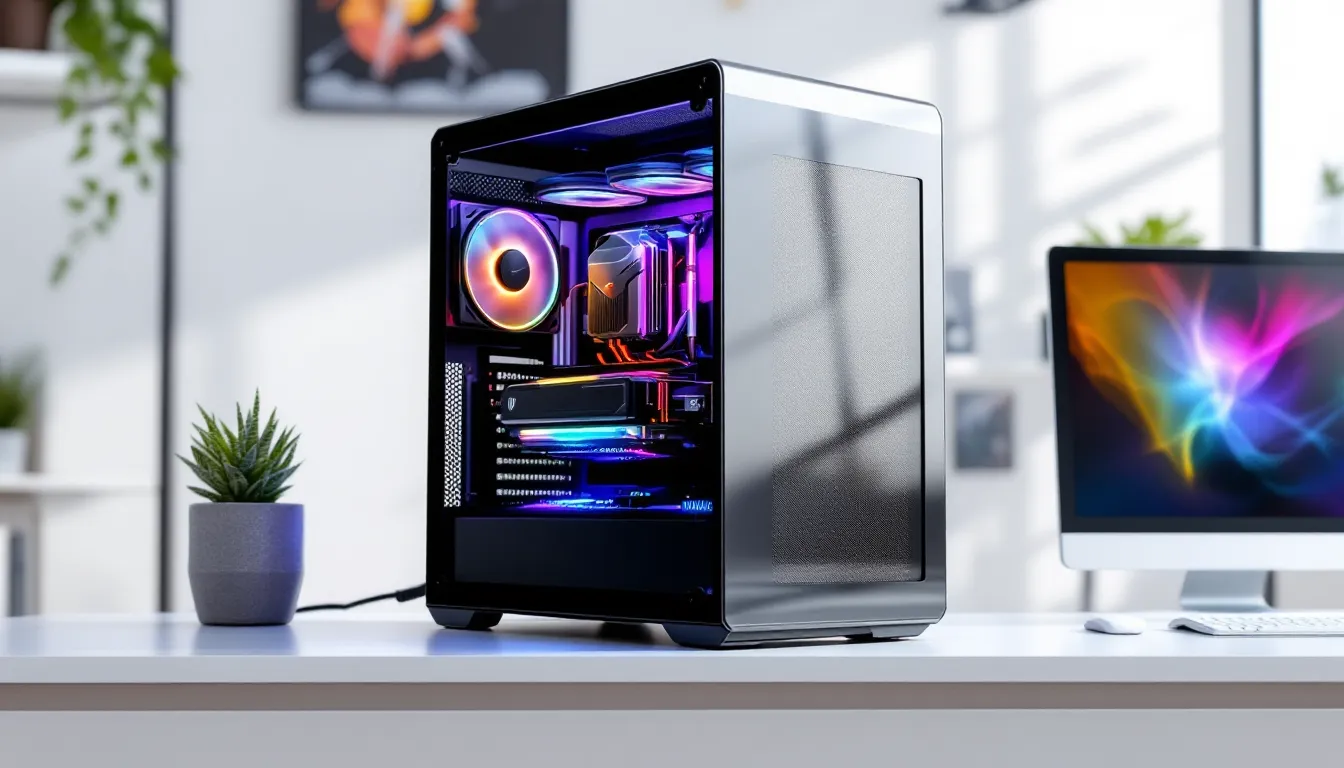

Dropping $2000 on a gaming PC isn’t pocket change, but it’s the sweet spot where budget constraints start to disappear and serious performance becomes the baseline. In 2026, this price range gets you systems that chew through AAA titles at 1440p ultra settings, maintain 240+ FPS in competitive shooters, and handle content creation workloads without breaking a sweat.
The landscape has shifted since last year. GPU prices have stabilized after the chaos of previous generations, AMD and Intel are locked in legitimate competition again, and DDR5 has finally become affordable enough to justify over DDR4. That means your $2000 stretches further than it did even six months ago, but it also means navigating more choices than ever.
This guide cuts through the noise. Whether someone’s upgrading from a dated rig, making the jump from console, or building their first serious setup, these recommendations are backed by real-world benchmarks and tested configurations that deliver on their promises.
Key Takeaways
- A $2,000 gaming PC budget delivers 1440p ultra gaming at 120+ FPS and true 4K gaming at 60+ FPS, eliminating the performance compromises found in lower-priced systems.
- GPU selection is the most critical factor—allocate 40-50% of your budget to the graphics card, as it directly determines gaming performance far more than any other component.
- Smart component choices matter more than reaching the full $2,000 budget; a well-configured $1,650 system with a strong GPU outperforms a poorly balanced $2,000 build with CPU overspending.
- The best gaming PC under $2,000 should include 32GB DDR5 RAM, at least 1TB Gen 4 NVMe storage, a quality 750W+ power supply, and adequate cooling to ensure years of reliable performance.
- Platform longevity through AM5 or LGA 1851 sockets allows CPU upgrades without motherboard replacement, making your investment future-proof for 2-3 additional years of relevance.
- Pre-built systems from reputable manufacturers now offer competitive pricing and comprehensive warranties, eliminating the need to build custom unless you prioritize specific component selection or cost optimization.
What Makes a Gaming PC Worth $2000 in 2026?
The $2000 mark represents a critical threshold in PC gaming. Below it, builders start making compromises, dropping from a high-tier GPU to mid-range, cutting back on storage speed, or settling for less efficient cooling. At this price point, those compromises mostly vanish.
Key Performance Benchmarks to Expect
A properly configured $2000 gaming PC in 2026 should hit specific performance targets without exception. At 1440p resolution, expect 90+ FPS in demanding titles like Cyberpunk 2077 2.3 with ray tracing enabled and DLSS 3.5 on balanced mode. Games like Starfield (post-Patch 1.9) should maintain 100-120 FPS at high settings.
For competitive gaming, the bar sits higher. In Valorant, Counter-Strike 2, and Apex Legends, these systems should deliver 300+ FPS at 1080p low-to-medium settings, critical for anyone running a 240Hz or 360Hz monitor. Frame time consistency matters as much as raw FPS, and systems in this range should maintain 1% lows above 144 FPS in most competitive scenarios.
4K gaming becomes genuinely playable at this price point, though not at maximum settings across the board. Expect 60-80 FPS in AAA titles at 4K high settings, with ray tracing requiring DLSS/FSR to maintain playability. That’s a massive upgrade from the 4K-30 experience of consoles.
Future-Proofing Your Investment
Future-proofing is a myth, no PC stays top-tier forever, but smart component choices extend relevance significantly. The key is headroom: a system that crushes today’s games at 1440p will handle tomorrow’s releases at that same resolution with reduced settings.
PCIe 5.0 support matters for GPUs now that RTX 50-series and AMD’s RX 8000 cards leverage the bandwidth. Similarly, DDR5 RAM has become the standard, and the performance gap over DDR4 widened with recent platform updates. Systems built on AM5 or Intel’s LGA 1851 platforms offer clear upgrade paths, drop in a next-gen CPU in two years without replacing the motherboard.
Storage capacity deserves more attention than most buyers give it. Modern AAA games regularly exceed 100GB (Call of Duty installations can hit 200GB+), so a minimum 1TB NVMe SSD is non-negotiable, with 2TB being the smarter long-term choice. The speed difference between Gen 3 and Gen 4 NVMe drives shows up in load times for DirectStorage-enabled titles, which are becoming more common.
Our Top 5 Gaming PCs Under $2000
These five configurations represent the best builds available in early 2026, each optimized for different gaming priorities. Prices reflect typical street pricing as of March 2026, including seasonal variations.
Best Overall: High-Performance All-Rounder
Price: $1,949
This configuration balances every aspect of gaming performance without favoring any single use case.
Key Specs:
- GPU: NVIDIA RTX 5070 (12GB VRAM)
- CPU: AMD Ryzen 7 9700X (8-core, 16-thread)
- RAM: 32GB DDR5-6000 CL30
- Storage: 2TB Gen 4 NVMe SSD
- PSU: 750W 80+ Gold
- Cooling: 240mm AIO liquid cooler
The RTX 5070 sits in the perfect performance-per-dollar zone, outperforming last gen’s RTX 4070 Ti while drawing less power. Paired with the Ryzen 7 9700X, this setup never bottlenecks in gaming scenarios and handles background tasks during streaming without frame drops. The 32GB RAM allocation might seem excessive for pure gaming, but anyone running Discord, browser tabs, and OBS simultaneously will use it.
Performance: 1440p ultra at 120+ FPS in most titles, 4K high at 70+ FPS, competitive games easily exceed 300 FPS at 1080p.
Best for 4K Gaming: Visual Powerhouse
Price: $1,995
4K gaming demands GPU horsepower above all else, and this build delivers.
Key Specs:
- GPU: AMD Radeon RX 8800 XT (16GB VRAM)
- CPU: Intel Core i5-15600K (6 P-cores, 8 E-cores)
- RAM: 32GB DDR5-5600 CL36
- Storage: 1TB Gen 4 NVMe SSD + 2TB SATA SSD
- PSU: 850W 80+ Gold
- Cooling: Tower air cooler (Noctua NH-D15 equivalent)
The RX 8800 XT trades blows with the RTX 5070 Ti at 4K but costs $150 less, making it the value king for high-resolution gaming. The extra VRAM helps with texture-heavy games and future-proofs better than 12GB options. The i5-15600K provides sufficient CPU power for 4K gaming (where GPU bottlenecks dominate) while keeping costs under control.
Performance: 4K high settings at 80-90 FPS in AAA titles, 4K ultra at 60+ FPS with FSR 3.1 enabled. Ray tracing performance matches RTX 5070 in rasterization-heavy games.
Best for Competitive Gaming: High Refresh Rate Beast
Price: $1,879
Competitive gamers need maximum FPS and minimal input lag. This build eliminates every bottleneck.
Key Specs:
- GPU: NVIDIA RTX 5060 Ti (8GB VRAM)
- CPU: Intel Core i7-15700K (8 P-cores, 12 E-cores)
- RAM: 32GB DDR5-7200 CL34 (low latency tuned)
- Storage: 1TB Gen 5 NVMe SSD
- PSU: 700W 80+ Gold
- Cooling: 280mm AIO with high static pressure fans
The i7-15700K is the star here, its high boost clocks and efficiency cores handle background processes without touching gaming performance. Paired with ultra-fast, low-latency RAM, frame times stay consistent even when pushing 400+ FPS. The RTX 5060 Ti provides more than enough GPU power for esports titles and includes NVIDIA Reflex support for minimum input latency.
Performance: Valorant, CS2, Overwatch 2 all exceed 400 FPS at 1080p competitive settings. AAA titles still hit 90+ FPS at 1440p high.
Best Value: Budget-Conscious Excellence
Price: $1,649
This build proves $2000 is the ceiling, not the floor. Smart component choices deliver 90% of the performance for significantly less money.
Key Specs:
- GPU: AMD Radeon RX 7900 GRE (16GB VRAM)
- CPU: AMD Ryzen 5 9600X (6-core, 12-thread)
- RAM: 32GB DDR5-5600 CL36
- Storage: 2TB Gen 3 NVMe SSD
- PSU: 750W 80+ Bronze
- Cooling: Quality tower air cooler
The RX 7900 GRE remains shockingly competitive in 2026, and recent driver updates (Adrenalin 26.2.1) improved performance by 8-12% in DX12 titles. The Ryzen 5 9600X never bottlenecks this GPU in gaming scenarios, and the savings go toward a massive 2TB SSD and quality case with good airflow.
Performance: 1440p ultra at 100+ FPS in most games, 4K high at 60+ FPS. Matches or beats consoles across the board while maintaining upgrade flexibility.
Best for Streaming: Content Creator’s Dream
Price: $1,975
Streaming, recording, and content creation demand balanced CPU and GPU power plus encoding capabilities.
Key Specs:
- GPU: NVIDIA RTX 5070 (12GB VRAM)
- CPU: AMD Ryzen 9 9900X (12-core, 24-thread)
- RAM: 64GB DDR5-6000 CL30
- Storage: 1TB Gen 4 NVMe SSD + 2TB Gen 3 NVMe SSD
- PSU: 850W 80+ Gold
- Cooling: 360mm AIO liquid cooler
The Ryzen 9 9900X provides absurd multi-threaded performance for encoding, video editing, and running OBS alongside demanding games. The RTX 5070’s NVENC encoder handles streaming duties with minimal performance impact, and 64GB RAM means never worrying about memory during intensive workflows. Dual SSD setup separates OS/games from project files and recordings.
Performance: Stream at 1080p60 or 1440p60 using quality presets while maintaining 144+ FPS in-game. Video rendering and editing substantially faster than 8-core alternatives.
Essential Components Breakdown for This Price Range
Understanding which components matter most helps evaluate pre-builts and guides smart upgrades down the line.
GPU Options: The Heart of Gaming Performance
The GPU consumes 40-50% of a $2000 budget, and for good reason, it determines gaming performance more than any other component. In March 2026, these GPUs represent the best options:
NVIDIA RTX 5070 ($549-599): The balanced choice. Excellent ray tracing, DLSS 3.5 support, strong rasterization performance. 12GB VRAM handles current games comfortably but might feel tight in 2-3 years for 4K ultra textures.
AMD RX 8800 XT ($499-549): Best raw 4K performance per dollar. 16GB VRAM, FSR 3.1 support, competitive rasterization. Ray tracing lags behind NVIDIA but improves with each driver update. Recent GPU comparisons show the gap narrowing.
NVIDIA RTX 5070 Ti ($649-699): Pushes into premium territory but delivers meaningful 4K gains over the standard 5070. Worth considering if 4K gaming is the primary focus and the budget allows.
AMD RX 7900 GRE ($429-479): Last-gen value champion. Performance competes with current mid-tier cards, and the price drop makes it perfect for value builds. Don’t let the “last gen” label discourage, it crushes modern games.
VRAM matters more now than ever. Games like Hogwarts Legacy, The Last of Us Part I, and Returnal can exceed 10GB usage at 4K ultra with high-res texture packs. The 16GB cards offer better longevity.
CPU Choices: Intel vs AMD in 2026
The CPU war remains competitive, which means buyers win. Both platforms offer compelling options at every price point within the $2000 build range.
AMD Ryzen 7 9700X ($329): The all-around winner for most builds. Eight cores handle gaming and multi-tasking effortlessly, power efficiency is excellent, and AM5 platform longevity means upgrade options through at least 2027.
Intel Core i7-15700K ($379): Slight edge in maximum FPS at 1080p competitive gaming due to higher boost clocks. Runs hotter than AMD equivalents and draws more power, but the performance speaks for itself. Platform support through 2026 confirmed.
AMD Ryzen 5 9600X ($229): The value pick. Six cores still handle modern games without bottlenecking mid-to-high-tier GPUs. Perfect for builds prioritizing GPU budget allocation.
Intel Core i5-15600K ($269): Hybrid architecture with P-cores and E-cores provides excellent multi-tasking. Gaming performance nearly matches the i7 in GPU-bound scenarios.
For pure gaming at 1440p or 4K, CPU differences shrink dramatically, the GPU becomes the bottleneck. But at 1080p competitive settings or in CPU-intensive titles like Baldur’s Gate 3 and Total War: Warhammer III, those extra cores and clock speed matter.
RAM, Storage, and Cooling Considerations
RAM: 32GB DDR5 is the standard. Speed matters, DDR5-6000 CL30 represents the price/performance sweet spot for AMD systems, while Intel platforms benefit from DDR5-5600 to DDR5-7200 depending on budget. Don’t bother with RGB unless the aesthetic genuinely matters: non-RGB kits cost $20-40 less.
Storage: 1TB is minimum, 2TB is recommended. Gen 4 NVMe drives like the Samsung 990 Pro or WD Black SN850X cost only $15-20 more than Gen 3 equivalents and provide tangible benefits in DirectStorage-enabled games. Gen 5 drives offer minimal gaming benefits currently but future-proof better.
Cooling: Modern CPUs run hot, especially Intel’s 15th-gen K-series. A quality 240mm AIO ($80-120) handles most CPUs comfortably, while 280mm or 360mm options ($120-160) provide headroom for overclocking or quieter operation. Tower air coolers like the Thermalright Peerless Assassin 120 SE ($35-45) deliver shocking performance for the price and eliminate pump failure concerns.
Power supplies deserve attention, 750W 80+ Gold minimum for single-GPU systems. RTX 5070 and RX 8800 XT cards spike power draw under load, and insufficient PSU capacity causes system instability before outright failure.
Pre-Built vs Custom Build: Which Is Right for You?
The pre-built versus custom debate gets more nuanced every year. In 2026, the gap has narrowed significantly, but each approach still has distinct advantages.
Advantages of Pre-Built Systems
Pre-builts have shed their “overpriced and poorly configured” reputation, at least from reputable manufacturers. Major brands like NZXT, Maingear, and CyberPowerPC now offer systems that match or beat DIY pricing during sales periods.
Warranty coverage is the killer feature. Entire system warranties eliminate the diagnostic headaches of determining which component failed. If the PC doesn’t boot, it’s the manufacturer’s problem, not a troubleshooting session across multiple component warranties.
Time savings matter to people with demanding schedules. A pre-built arrives ready to game after installing drivers and updates. No watching build guides, no BIOS troubleshooting, no cable management frustration.
Professional cable management and aesthetics come standard. For buyers who care about a clean build with proper airflow optimization, pre-builts deliver results most first-time builders can’t match.
Software bundles occasionally add value. Windows 11 licenses, game bundles, or extended support packages sometimes justify slightly higher base prices.
The main downside remains component selection, pre-built manufacturers sometimes cheap out on PSUs, motherboards, or cooling to hit price points. Reading detailed reviews from sources like PC Gamer helps identify which models use quality components throughout.
When to Consider Building Your Own
Custom building still wins for enthusiasts who value control and optimization. The ability to select every component based on specific criteria, PCB quality, fan noise levels, RGB ecosystem compatibility, matters to people who care about those details.
Component selection is the primary advantage. Want a specific motherboard with excellent VRM cooling for future CPU upgrades? Need a case with perfect airflow and low noise? Building yourself provides unlimited options.
Upgradeability knowledge comes naturally through the build process. Someone who assembled their PC understands exactly how to upgrade the GPU, add storage, or improve cooling without paying labor charges or voiding warranties.
Cost savings still exist, especially when buying during component sales rather than system sales. Patient builders who track prices can save $100-200 compared to equivalent pre-builts.
Learning experience has intrinsic value for people interested in PC hardware. Building a system demystifies the technology and makes future upgrades or troubleshooting significantly less intimidating.
The middle ground involves “build services” from retailers like Micro Center, where customers select components and pay $100-150 for professional assembly. This captures most custom build advantages while eliminating the intimidation factor.
How to Maximize Your $2000 Budget
Getting maximum value from a $2000 budget requires strategic thinking about component allocation and timing.
Where to Splurge and Where to Save
Not all components deserve equal budget priority. The 60-25-15 rule provides a useful framework: allocate roughly 60% to GPU and CPU, 25% to supporting components (RAM, storage, PSU, cooling), and 15% to case and peripherals.
Splurge on:
The GPU. This isn’t negotiable. A $599 GPU in a $1400 system outperforms a $449 GPU in a $1550 system every time. The savings from downgrading the case, cooling, or storage barely impact experience, while GPU cuts hurt noticeably.
Quality power supply. Cheap PSUs kill components. Spending $120 on a quality 750W 80+ Gold unit from Corsair, EVGA, or Seasonic versus $70 on a generic bronze unit is the best insurance policy available. Efficiency, reliability, and component protection justify the premium.
Primary NVMe storage. The boot drive impacts daily experience more than most realize. Fast Gen 4 drives reduce game load times, improve Windows responsiveness, and feel noticeably snappier than budget Gen 3 options. Allocate $120-150 for a quality 1TB Gen 4 drive.
Save on:
Motherboard aesthetics. A $150 B850 or B660 motherboard provides the same gaming performance as a $300 X870 or Z890 board with RGB lighting and premium audio. Unless specific features matter (extra M.2 slots, 10GbE networking, extensive USB ports), mid-tier boards work perfectly.
RGB lighting. Non-RGB RAM costs $20-40 less. Non-RGB fans save $10-15 each. That’s $60-100 in savings that could upgrade from an RTX 5060 Ti to RTX 5070. RGB is cool, but FPS is cooler.
Case extravagance. A $70 Phanteks or Lian Li case with good airflow performs identically to a $150 flagship model in thermal testing. Save the premium for aesthetics only if the budget genuinely allows.
Unnecessary storage speed. Gen 5 NVMe drives cost significantly more than Gen 4 options and provide minimal gaming benefits currently. DirectStorage games show minor improvements with Gen 4 over Gen 3, but Gen 5 gains are within margin of error for now.
Seasonal Deals and Best Times to Buy
Timing purchases strategically can save $150-300 on identical hardware. Major sales events follow predictable patterns:
Black Friday/Cyber Monday (late November): The best time to buy complete systems or bundles. Pre-built manufacturers offer aggressive discounts, and GPU/CPU combos frequently see $100-200 off.
Amazon Prime Day (July): Strong component sales, especially on SSDs, RAM, and peripherals. GPU and CPU discounts are less predictable but occasionally excellent.
Back-to-School sales (August-September): Underrated for PC components. Retailers clear inventory before new product launches, creating opportunities on last-gen hardware that still performs excellently.
Post-launch clearance (after new GPU/CPU releases): Previous generation components drop 15-25% within 2-3 months of new launches. The RX 7900 GRE price collapse after RX 8000 series announcement exemplifies this perfectly.
Avoid buying:
January-February: Post-holiday period with minimal sales and reduced inventory.
Right before known launches: Buying an RTX 5060 Ti two weeks before RTX 5070 launch means missing both the better performance and the price drop on the 5060 Ti.
Price tracking tools like CamelCamelCamel for Amazon or PCPartPicker’s price history graphs help identify genuine deals versus “sale” pricing that matches regular street prices.
Game Performance: What to Expect at This Price Point
Theoretical specs matter less than real-world gaming experience. Here’s what a properly configured $2000 system delivers across different gaming scenarios.
AAA Titles at 1440p and 4K
Modern AAA games push hardware harder than ever, but systems in this price range handle them comfortably at reasonable settings.
1440p Performance (High/Ultra settings):
- Cyberpunk 2077 2.3 (RT Overdrive): 80-95 FPS with DLSS Quality
- Starfield (Patch 1.9.67): 90-110 FPS
- Avatar: Frontiers of Pandora: 85-100 FPS with FSR/DLSS Balanced
- Baldur’s Gate 3: 100-120 FPS (CPU-dependent in Act 3)
- Hogwarts Legacy: 90-105 FPS
These numbers represent sustained averages with 1% lows staying above 60 FPS, no stuttering or frame pacing issues. DLSS or FSR in quality mode maintains image fidelity while providing the performance headroom for ray tracing features.
4K Performance (High settings, RT features selective):
- Cyberpunk 2077 2.3 (RT Medium): 65-75 FPS with DLSS Balanced
- Forza Motorsport (2026): 85-100 FPS
- Resident Evil 4 Remake: 90-110 FPS
- The Last of Us Part I: 70-85 FPS
- Red Dead Redemption 2: 75-90 FPS
Maintaining 60+ FPS at 4K in demanding titles requires upscaling technology in most cases. The systems recommended earlier achieve this consistently, making 4K gaming genuinely playable rather than a slideshow.
Competitive Esports Performance
Competitive gaming demands high, stable frame rates to match modern high-refresh monitors. A $2000 system eliminates frame rate as a limiting factor.
1080p Low/Competitive settings:
- Valorant: 400-500+ FPS
- Counter-Strike 2: 350-450 FPS
- Apex Legends: 280-340 FPS
- Overwatch 2: 350-400 FPS
- Fortnite (Performance mode): 360-420 FPS
- Rainbow Six Siege: 380-450 FPS
These frame rates use 240Hz and 360Hz monitors fully, and more importantly, maintain frame times under 3ms for responsive gameplay. The CPU matters more than GPU in these scenarios, high clock speeds and low-latency RAM reduce input lag measurably.
1440p Competitive settings:
- Valorant: 300-400 FPS
- Counter-Strike 2: 250-320 FPS
- Apex Legends: 200-260 FPS
Many competitive players choose 1440p for the balance of visual clarity and performance. These systems maintain well above 240 FPS, perfect for 240Hz 1440p monitors that have become popular among serious players.
VR Gaming Capabilities
VR demands consistent, high frame rates with zero dropped frames, stuttering in VR causes nausea rather than mere annoyance. Current benchmarks from Hardware Times confirm systems in this price range handle even demanding VR titles.
Meta Quest 3 (via Link/Air Link):
- Half-Life: Alyx: Ultra settings, native resolution, locked 90 FPS
- Microsoft Flight Simulator 2024 VR: High settings, 60-75 FPS (CPU-limited)
- Resident Evil 4 VR (PCVR mod): Max settings, 90+ FPS
Valve Index/HTC Vive Pro 2:
- Native resolution (2880×1600 per eye): High settings in most titles at 90 FPS
- Beat Saber: 144 FPS locked (for Index’s 144Hz mode)
- DCS World: Medium-High settings, 75-90 FPS
PSVR2 (PC adapter):
- Handles Sony’s high-resolution headset comfortably at recommended settings
- Eye tracking and foveated rendering reduce GPU load in supported titles
VR headsets continue improving, and the GPU horsepower in a $2000 system provides headroom for upcoming releases without immediate obsolescence.
Common Mistakes to Avoid When Buying
Even experienced builders fall into traps when configuring or buying gaming PCs. These mistakes waste money or compromise performance unnecessarily.
Overspending on CPU at GPU’s expense. The single biggest error. An i9-15900K paired with an RTX 5060 Ti delivers worse gaming performance than an i5-15600K with an RTX 5070 while costing more. The extra CPU cores sit idle during gaming while the weaker GPU struggles. GPU determines frame rates in nearly all gaming scenarios, allocate budget accordingly.
Ignoring PSU quality. Generic 800W bronze units from unknown brands fail catastrophically and sometimes take components with them. Brand reputation matters here more than anywhere else. Stick with Corsair, Seasonic, EVGA, MSI, or be Quiet. for reliability and proper power delivery.
Buying single-channel RAM. Some pre-builts ship with one 32GB stick instead of two 16GB sticks. Single-channel RAM cuts memory bandwidth nearly in half, reducing performance by 10-25% in memory-sensitive games. Always verify dual-channel configuration.
Insufficient cooling for high-end CPUs. Pairing an i7-15700K or Ryzen 9 9900X with a basic tower cooler causes thermal throttling, reducing performance and increasing noise. These CPUs need quality 240mm+ AIOs or high-end tower coolers. Skimping here leaves performance on the table.
Cheaping out on the motherboard excessively. While expensive boards aren’t necessary, bottom-tier options often have inadequate VRM cooling, fewer fan headers, and limited expansion. A $120-150 motherboard balances cost and features far better than a $75 bare-minimum board.
Not considering airflow in case selection. Tempered glass panels and RGB look great, but solid front panels choke airflow. Cases need mesh fronts or adequate ventilation. High-end components in a poor-airflow case run hot, loud, or both.
Buying Windows at full price. Windows 11 OEM keys are available from legitimate retailers for $20-35 instead of $139 for retail versions. That $100+ savings can upgrade from 1TB to 2TB storage or improve the GPU tier.
Forgetting about monitor compatibility. Building a 4K gaming beast then pairing it with a 1080p 60Hz monitor wastes the system’s capabilities. Budget should include an appropriate monitor, 1440p 165Hz minimum, or 4K 144Hz for high-end builds. Conversely, buying a 360Hz monitor for a system that barely hits 200 FPS in competitive games also mismatches components.
Ignoring upgrade paths. Building on a dead-end platform or choosing a case that can’t accommodate larger GPUs limits future options. Checking motherboard CPU support lists and case GPU clearance specs takes five minutes but prevents expensive mistakes later.
Upgradeability and Long-Term Value
A gaming PC’s value extends beyond initial performance. The ability to upgrade components as needs change or technology advances determines how long the system remains relevant.
Platform longevity matters significantly. AMD’s AM5 platform supports CPUs through at least 2027, meaning a system built on B850 or X870 motherboards today can drop in Ryzen 10000-series CPUs when they release. Intel’s LGA 1851 platform supports 15th-gen currently with 16th-gen support likely but not guaranteed long-term, Intel’s history of platform changes creates more uncertainty.
Choosing current platforms (AM5, LGA 1851) over older sockets (AM4, LGA 1700) ensures future CPU upgrade options exist without motherboard replacement. The cost difference is minimal in 2026, making older platforms poor value even though seemingly attractive prices on clearance CPUs.
GPU upgrades represent the most impactful improvement. PCIe 5.0 support on modern motherboards ensures compatibility with upcoming GPU generations. Cases should accommodate at least 340mm GPU length and triple-slot thickness, many flagship cards push these dimensions. Power supplies need headroom: a 750W unit handles current mid-tier cards but limits future upgrades to high-end models.
RAM upgrades are straightforward but platform-dependent. DDR5 systems support up to 128GB on most consumer boards, with future capacity increases likely. Starting with 32GB provides ample gaming headroom while leaving two DIMM slots open for future expansion to 64GB if content creation or heavily modded games demand it.
Storage expansion is the easiest upgrade. Modern motherboards include 3-4 M.2 slots, allowing simple capacity increases. Prices continue dropping, 1TB Gen 4 NVMe drives that cost $120 in early 2026 will likely hit $80-90 by late 2027, making storage the cheapest performance upgrade.
Cooling upgrades extend system life. Starting with adequate cooling prevents the need for immediate upgrades, but improved coolers can enable CPU overclocking or reduce noise levels years into ownership. AIO compatibility depends on case radiator support, verify 280mm or 360mm mounting options before buying.
Realistic upgrade timeline expectations: Most components remain viable for different durations. GPUs typically need replacement every 3-4 years to maintain high settings at newer resolutions or refresh rates. CPUs last 4-6 years before becoming genuine bottlenecks. RAM, storage, and power supplies often last entire system lifecycles unless capacity needs increase dramatically.
The $2000 price point builds systems that perform excellently for 2-3 years without upgrades, remain highly capable for 4-5 years with a GPU upgrade at the midpoint, and serve as solid foundations for ongoing upgrades beyond that. This longevity makes the initial investment significantly more valuable than budget builds that require wholesale replacement sooner.
Conclusion
The $2000 gaming PC space in 2026 offers incredible value. Systems at this price point deliver genuine 4K gaming capability, dominate competitive titles at high refresh rates, and provide enough horsepower for content creation without compromise.
The five configurations outlined earlier represent the best options for different priorities, pure performance, 4K visual fidelity, competitive frame rates, value maximization, or streaming capability. Each delivers on its specific promise while maintaining the flexibility to handle other gaming scenarios.
Component selection matters more than pure price. A well-configured $1,650 system outperforms a poorly balanced $2,000 build when the budget allocation prioritizes GPU and practical features over aesthetics or unnecessary CPU overhead.
Market conditions favor buyers right now. GPU prices have stabilized, DDR5 has become affordable, and platform competition keeps both AMD and Intel honest on pricing. The same budget that bought mid-tier performance two years ago now secures high-end systems.
For anyone ready to pull the trigger, the recommendations here provide proven configurations that eliminate guesswork. These systems game at high settings today and maintain relevance for years through smart upgrades and solid platform foundations.