
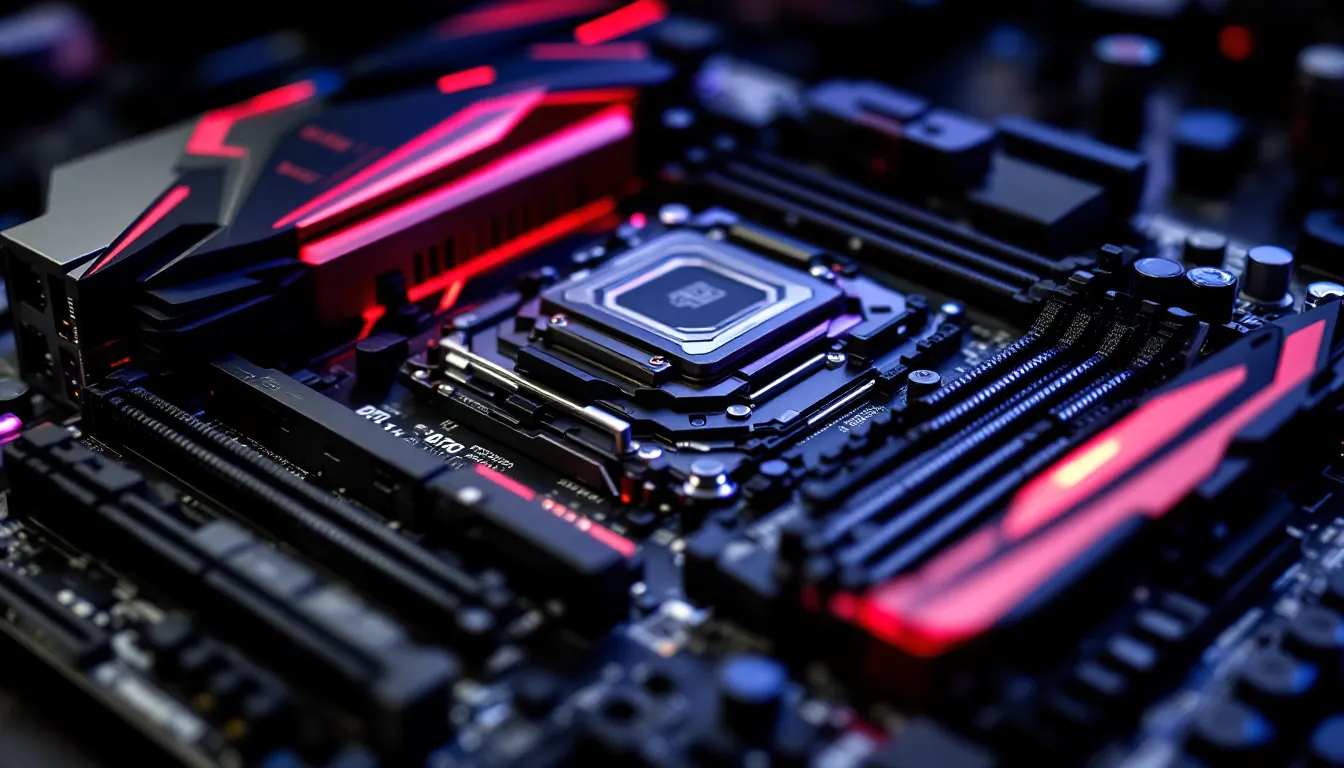

The ASUS 970 Pro Gaming/Aura doesn’t make headlines anymore, but it still powers budget gaming rigs, retro builds, and secondary systems around the world. Released in 2016 as ASUS’s first AM3+ board with Aura RGB lighting, this motherboard represented a late-generation refinement of AMD’s FX platform. While the AM3+ socket is ancient by modern standards, the 970 Pro Gaming/Aura remains a surprisingly capable option for gamers working with older hardware or hunting for budget-friendly builds.
In 2026, this board occupies a curious niche. It’s too old to compete with current-gen platforms, but it’s also affordable, well-documented, and compatible with a robust library of legacy components. Whether you’re reviving an FX-series CPU, building a dedicated retro gaming machine, or experimenting with overclocking on a shoestring budget, understanding what this motherboard can and can’t do is critical. This guide covers everything from chipset specs and RGB customization to BIOS tuning and troubleshooting.
Key Takeaways
- The ASUS 970 Pro Gaming/Aura remains a budget-friendly option for retro builds, secondary gaming rigs, and legacy AM3+ systems, with solid build quality featuring SupremeFX audio and Aura RGB lighting support.
- An FX-8350 CPU paired with the 970 Pro Gaming/Aura can deliver 80-200+ FPS in esports titles and older games at 1080p, but struggles with CPU-bound modern AAA titles and should not be paired with high-end GPUs due to bottlenecking.
- The board supports DDR3 memory up to 32GB and SATA storage only, with no NVMe support or PCIe 3.0 bandwidth, making DDR3-1866 or faster and a SATA SSD essential for acceptable performance in modern gaming.
- Overclocking on the 970 Pro Gaming/Aura is straightforward through UEFI BIOS, with FX-8350 chips typically reaching 4.5-4.7GHz using multiplier adjustments and moderate voltage increases, though VRM temperatures can reach 80-90°C under sustained load.
- A complete budget build using the 970 Pro Gaming/Aura, FX-8350 CPU, 16GB DDR3 RAM, and RX 570 GPU costs around $300-350 used and is viable for esports, indie games, and retro titles, but offers no upgrade path as AM3+ is a dead platform.
- Windows 11 compatibility requires workarounds due to missing TPM 2.0 support, and driver support ended years ago, making Windows 10 the safer choice until its October 2025 end-of-life date.
What Is the ASUS 970 Pro Gaming/Aura Motherboard?
The ASUS 970 Pro Gaming/Aura is an ATX motherboard built around AMD’s 970 chipset and AM3+ socket. It launched in 2016 as a gaming-focused refresh of ASUS’s AM3+ lineup, bringing RGB lighting and premium audio to a platform that was already nearing obsolescence. The board was aimed at gamers still using AMD FX processors who wanted modern aesthetics and features without upgrading to a new CPU platform.
Even though the aging chipset, ASUS packed in features like SupremeFX audio, reinforced PCIe slots, and support for DDR3-2133 memory. The Aura RGB lighting system, still a novelty in 2016, gave builders customizable lighting zones and compatibility with other Aura-enabled components.
Key Specifications and Features Overview
Here’s what you’re working with:
- Socket: AM3+ (supports AMD FX, Phenom II, Athlon II processors)
- Chipset: AMD 970 + SB950
- Memory: 4x DDR3 DIMM slots, up to 32GB, DDR3-2133 (OC)
- Expansion: 2x PCIe 2.0 x16 (x16 or x8/x8), 3x PCIe 2.0 x1, 2x PCI
- Storage: 6x SATA 6Gb/s
- USB: 2x USB 3.1 Gen 1 (via ASMedia ASM1142), 6x USB 2.0
- Audio: SupremeFX (Realtek ALC1150 codec)
- LAN: Intel I211-AT Gigabit Ethernet
- RGB: Aura Sync with 4-pin RGB header
- Form Factor: ATX (30.5 x 24.4 cm)
The board uses a black and red color scheme typical of mid-2010s gaming hardware. Build quality is solid for the price point, with reinforced PCIe slots (ASUS calls them SafeSlot) and decent VRM cooling.
AMD 970 Chipset Explained
The AMD 970 chipset debuted in 2011 alongside the FX processor lineup. It’s a mid-range option that provides PCIe 2.0 lanes, SATA 6Gb/s support, and basic overclocking features. The 970 chipset itself handles the PCIe lanes and CPU communication, while the SB950 southbridge manages USB, SATA, and legacy I/O.
Key limitations to be aware of:
- PCIe 2.0 only: No PCIe 3.0 support, which can bottleneck high-end GPUs in some scenarios (though the impact is minimal for most GPUs outside of flagship models).
- No NVMe support: The chipset predates NVMe, so you’re limited to SATA SSDs unless you use a PCIe adapter card.
- DDR3 memory: No DDR4 compatibility. Maximum official spec is DDR3-1866, but many boards, including this one, can overclock to DDR3-2133 or beyond.
- Limited USB 3.0: The 970 chipset doesn’t natively support USB 3.0, so boards like this rely on third-party controllers (in this case, ASMedia).
For modern use, the 970 chipset is a constraint. But if you’re building around existing FX hardware or hunting for a secondary system, it’s adequate for gaming at 1080p with mid-range GPUs.
ASUS Aura RGB Lighting: Customization for Your Gaming Rig
The Aura RGB system was ASUS’s answer to the RGB lighting craze that dominated PC building in the mid-2010s. The 970 Pro Gaming/Aura was one of the first AM3+ boards to include integrated RGB headers and software control, allowing builders to sync lighting across components.
The board itself features RGB-lit audio separation line and an illuminated I/O shroud. It’s subtle compared to modern RGB implementations, but it was cutting-edge for an AM3+ board in 2016.
How Aura Sync Works
Aura Sync is ASUS’s RGB ecosystem software. It lets users control onboard lighting zones and any connected Aura-compatible devices through a single interface. The software offers several preset modes:
- Static: Single solid color
- Breathing: Slow fade in and out
- Color Cycle: Rotates through the color spectrum
- Rainbow: Moving rainbow effect
- Music Mode: Reacts to audio output (requires SupremeFX audio)
You can also set custom colors and synchronize effects across all connected devices. The 4-pin RGB header supports standard 12V RGB strips (not addressable 5V ARGB), so your options for third-party strips are somewhat limited compared to modern boards.
Aura Sync software is available through ASUS’s support page. You’ll want to download Aura version 1.07.79 or later for compatibility with Windows 10 and 11 (though official support for this board ended years ago, and newer Windows versions may require workarounds).
Compatible RGB Components and Accessories
The 4-pin 12V RGB header on the 970 Pro Gaming/Aura is compatible with:
- ASUS Aura RGB LED strips (standard 12V)
- Third-party 12V RGB strips (ensure correct pinout: 12V-G-R-B)
- Some older ASUS GPUs with Aura Sync (GTX 1070/1080 Strix models, RX 480 Strix, etc.)
- Compatible RAM with RGB (rare for DDR3, but some enthusiast kits exist)
Incompatible: 5V addressable RGB (ARGB) strips and devices. Those require a 3-pin 5V header, which this board doesn’t have.
If you’re building an Aura-themed setup in 2026, your component options are limited. Most RGB peripherals and components have moved to newer standards. That said, basic 12V RGB strips are still widely available and inexpensive, making it easy to add ambient lighting to a build.
Performance Capabilities for Gaming in 2026
Let’s address the elephant in the room: AM3+ is a dead platform. The FX series launched in 2011, and even the flagship FX-9590 can’t compete with modern budget CPUs like the Ryzen 5 5600 or Intel i3-12100F. But that doesn’t mean the 970 Pro Gaming/Aura is useless for gaming, it just means you need realistic expectations.
Supported CPUs and Overclocking Potential
The board officially supports all AM3+ FX processors, plus older Phenom II and Athlon II chips. Here are the CPUs you’ll most commonly pair with this board:
FX-8350 (8-core, 4.0GHz base, 4.2GHz turbo)
- The most popular FX chip for gaming. Decent multi-threaded performance, struggles in single-threaded workloads.
- Overclocks well on this board, expect 4.5-4.7GHz with decent cooling.
FX-8370 (8-core, 4.0GHz base, 4.3GHz turbo)
- Factory-binned FX-8350 with slightly higher clocks. Minimal real-world difference.
FX-9590 (8-core, 4.7GHz base, 5.0GHz turbo)
- The flagship FX chip. Power-hungry (220W TDP) and requires robust cooling.
- The 970 Pro Gaming/Aura’s VRM can handle it, but expect high temperatures under load.
FX-6300 (6-core, 3.5GHz base, 4.1GHz turbo)
- Budget option. Adequate for lighter gaming and esports titles, but shows its age in modern AAA games.
Overclocking on the 970 chipset is straightforward. The board’s UEFI BIOS offers granular controls for multiplier, voltage, and LLC (load-line calibration). Most FX-8350 chips can hit 4.5GHz with a voltage bump to 1.35-1.4V. Stability and thermals are your main concerns, pair it with at least a tower cooler like a Cooler Master Hyper 212 or equivalent.
Gaming Benchmarks: What to Expect
Gaming performance on the 970 Pro Gaming/Aura depends entirely on your CPU and GPU pairing. Independent testing from Tom’s Hardware and similar outlets over the years has shown that FX processors bottleneck modern GPUs in many titles, especially those that rely on single-threaded performance.
Here’s what you can realistically expect with an FX-8350 (overclocked to 4.5GHz) and a mid-range GPU like an RX 580 or GTX 1060:
1080p Gaming (Medium-High settings):
- Fortnite: 80-120 FPS (competitive settings)
- CS:GO / CS2: 120-200+ FPS (varies by map and settings)
- Warzone (2020): 50-70 FPS (struggles with CPU-intensive areas)
- Cyberpunk 2077: 30-45 FPS (CPU bottleneck, GPU underutilized)
- Valorant: 150-200+ FPS
- Rocket League: 100-144 FPS
The FX-8350 holds up reasonably well in esports titles and older AAA games, but it chokes in modern open-world games and Battle Royale titles with large player counts. You’ll see significant frame drops in CPU-bound scenarios.
Pairing the board with a high-end GPU (RTX 3060 or better) is generally a waste, your CPU will bottleneck long before the GPU reaches full utilization. Stick to mid-range cards (GTX 1650 Super, RX 570/580, GTX 1060) for the best price-to-performance ratio.
Memory and Storage Options
The board supports up to 32GB of DDR3 across four DIMM slots. The official spec is DDR3-1866, but the board can overclock to DDR3-2133 or higher with XMP profiles (though DDR3 XMP support is less common than DDR4).
For gaming, 16GB of DDR3-1866 or faster is the sweet spot. Dual-channel configuration is critical, two 8GB sticks will outperform a single 16GB stick significantly.
Storage is limited to SATA 6Gb/s. The board has six SATA ports, which is plenty for multiple SSDs and HDDs. NVMe is not natively supported, but you can add an NVMe drive via a PCIe adapter card if you have a spare PCIe slot. Just don’t expect to boot from it without BIOS modding (not recommended for most users).
A SATA SSD is mandatory for acceptable load times in modern games. A 500GB SATA SSD (like a Samsung 870 EVO or Crucial MX500) costs under $50 in 2026 and will transform the system’s responsiveness.
Build Quality and Design Features
ASUS positioned the 970 Pro Gaming/Aura as a premium option within the AM3+ ecosystem, and the build quality reflects that. The PCB is thick, the VRM heatsinks are chunky, and the reinforced PCIe slots (SafeSlot) add rigidity for heavy GPUs.
The aesthetic is distinctly mid-2010s: black PCB, red accents, angular heatsink designs. It’s not as sleek as modern boards, but it’s miles ahead of the generic brown PCBs that dominated budget AM3+ offerings.
SupremeFX Audio Technology
The SupremeFX audio solution is one of the board’s standout features. It’s built around the Realtek ALC1150 codec, which was a high-end audio chip when this board launched. ASUS added several enhancements:
- Audio shielding: Physical PCB separation and LED-lit line to reduce electromagnetic interference.
- Premium capacitors: Nichicon audio capacitors for cleaner output.
- Sonic Studio software: EQ, voice clarity, and virtual surround sound effects.
In practice, the audio quality is solid for gaming. It’s noticeably better than basic Realtek ALC887 implementations found on budget boards. You get clear positional audio in FPS games and decent bass response in music and movies. Audiophiles will still prefer a dedicated DAC or sound card, but for most gamers, SupremeFX is more than adequate.
The Sonic Studio software is optional, it adds some useful presets (FPS mode boosts footsteps, Racing mode enhances engine sounds), but it’s also bloatware-adjacent. Many users skip it entirely and stick with default Windows audio drivers.
Cooling Solutions and Thermal Management
The 970 Pro Gaming/Aura has decent thermal management for an AM3+ board. The VRM is covered by a hefty aluminum heatsink, and the chipset has passive cooling (no fan required). The board includes multiple fan headers:
- 1x CPU fan header (4-pin PWM)
- 1x CPU optional fan header (4-pin PWM)
- 3x chassis fan headers (4-pin PWM)
This gives you solid control over airflow. The BIOS allows fan curve customization, so you can balance noise and cooling based on your case and components.
VRM temperatures can get warm under sustained load, especially with high-TDP CPUs like the FX-9590. According to thermal testing documented by enthusiasts on forums and Hardware Times, the VRM heatsink can reach 80-90°C under stress testing with an overclocked FX-8350. That’s within spec, but adding a case fan aimed at the VRM area can help.
The board does not have built-in I/O shield lighting or RGB VRM heatsinks, those features wouldn’t arrive until later generations.
Setting Up Your ASUS 970 Pro Gaming/Aura Board
Setting up the 970 Pro Gaming/Aura is straightforward, but there are a few quirks to be aware of, especially if you’re installing it in 2026 with a modern OS.
BIOS Configuration and Optimization Tips
The board ships with a UEFI BIOS that’s generally intuitive. ASUS’s UEFI interface from this era is less polished than modern versions, but it’s functional. Here are the key settings to configure:
1. Enable XMP/DOCP for Memory
If you’re using DDR3 with an overclock profile, enable DOCP (AMD’s version of XMP) in the Ai Tweaker section. This ensures your RAM runs at its rated speed instead of the default DDR3-1333.
2. Adjust CPU Multiplier and Voltage
For overclocking, head to Ai Tweaker and increase the CPU multiplier. Start with a conservative bump (e.g., FX-8350 from 4.0GHz to 4.3GHz) and test stability. Increase CPU voltage in small increments (0.025V at a time) if you encounter crashes.
3. Configure Fan Curves
Under the Monitor tab, set custom fan curves for your CPU and chassis fans. Aim for a balance between low noise at idle and aggressive cooling under load.
4. Enable Cool’n’Quiet
This AMD feature downclocks the CPU at idle to save power and reduce heat. It’s enabled by default, but double-check if you’re experiencing high idle temps.
5. Update BIOS (Carefully)
The latest BIOS version for the 970 Pro Gaming/Aura is version 3805 (released in 2019). It’s available on ASUS’s legacy support page. BIOS updates can improve CPU compatibility and stability, but only update if you’re experiencing issues, there’s risk involved in flashing BIOS on older hardware.
Driver Installation and Software Suite
Windows 10 and 11 will install basic drivers automatically, but you’ll want to manually install a few components for full functionality:
Critical Drivers:
- Chipset drivers: AMD 970 chipset drivers (available from AMD’s legacy driver page)
- LAN drivers: Intel I211-AT drivers (Windows usually handles this, but manual install ensures latest version)
- USB 3.1 drivers: ASMedia ASM1142 drivers (required for full-speed USB 3.1 Gen 1)
Optional Software:
- Aura Sync: For RGB control (v1.07.79 or later)
- Sonic Studio: For audio enhancements (optional, some users find it intrusive)
- AI Suite 3: System monitoring and tuning utility (bloated, many users skip it)
Windows 11 compatibility is hit-or-miss. The board lacks TPM 2.0 and Secure Boot, so you’ll need to bypass Windows 11’s hardware checks. Many users stick with Windows 10, which has official support until October 2025.
For detailed reviews of driver installation processes and compatibility, resources like PCWorld have archived legacy hardware guides that remain useful.
Is the ASUS 970 Pro Gaming/Aura Still Worth It in 2026?
Short answer: it depends on your use case and budget. The 970 Pro Gaming/Aura isn’t competitive with modern platforms, but it still has niche applications where it makes sense.
Best Use Cases for This Legacy Board
Here’s where the board still shines:
1. You Already Own an FX CPU
If you have an FX-8350 or similar chip collecting dust, pairing it with this board is a cost-effective way to build a secondary gaming PC or LAN rig. The board can be found used for $40-70, which is far cheaper than a new motherboard + CPU combo.
2. Retro and Legacy Gaming
The AM3+ platform is excellent for retro gaming builds targeting Windows 7 or XP compatibility. Many older games (mid-2000s to early 2010s) run flawlessly on FX hardware, and the 970 Pro Gaming/Aura’s SupremeFX audio and PCIe 2.0 slots provide solid support for legacy GPUs and sound cards.
3. Dedicated Streaming or Encoding Box
The multi-core FX CPUs handle video encoding reasonably well. If you’re building a dedicated streaming rig for OBS or similar software, an FX-8350 on this board can handle 1080p encoding at 30-60 FPS without very costly.
4. Learning Platform for Overclocking
Because FX CPUs and this board are cheap on the used market, they’re excellent for learning overclocking basics. You can experiment with voltage, multipliers, and stability testing without risking expensive hardware.
Budget Gaming and Retro Builds
For budget gaming, the 970 Pro Gaming/Aura makes sense if you can source it cheaply and pair it with a used FX CPU and DDR3 RAM. Here’s a realistic budget build:
- Motherboard: ASUS 970 Pro Gaming/Aura ($50 used)
- CPU: FX-8350 ($30-40 used)
- RAM: 16GB DDR3-1866 ($30-40 used)
- GPU: RX 570 4GB ($60-80 used)
- Storage: 500GB SATA SSD ($40)
- PSU: 500W 80+ Bronze ($40-50)
- Case: Budget ATX case ($40-50)
Total: ~$300-350
This build handles esports titles, indie games, and older AAA games at 1080p. It won’t run Cyberpunk 2077 or Starfield at high settings, but it’s viable for Fortnite, Valorant, Rocket League, and countless older titles.
For retro builds targeting Windows XP or 7 compatibility, the board is one of the last mainstream options with legacy PCI slots, PS/2 ports, and broad driver support for older operating systems.
Limitations and Upgrade Considerations
The board’s limitations are significant in 2026:
CPU Bottleneck: Even the fastest FX chips struggle in modern AAA games. You’ll see low GPU utilization and stuttering in CPU-intensive titles.
No Upgrade Path: AM3+ is a dead end. There’s no viable CPU upgrade that brings you close to modern performance. If you want meaningful gains, you’ll need to replace the motherboard, CPU, and RAM entirely (moving to AM4 or AM5 for AMD, or LGA1700 for Intel).
DDR3 Memory: DDR3 is fine for older games, but it’s a limiting factor in memory-intensive modern titles. DDR4 offers significantly better bandwidth and lower latency.
PCIe 2.0 Bandwidth: High-end GPUs (RTX 4070 and above) can be bandwidth-limited by PCIe 2.0 x16. For mid-range cards, the impact is minimal, but it’s another reason not to pair this board with expensive GPUs.
Software Support: Windows 10 support ends in October 2025. Windows 11 requires workarounds. Driver support from ASUS ended years ago, and future OS updates may cause compatibility headaches.
If you’re considering this board as a primary gaming rig in 2026, it’s hard to recommend unless budget constraints are extreme. A modern entry-level platform (Ryzen 5 5600 or Intel i3-12100F) offers vastly better performance, efficiency, and upgrade potential for only a few hundred dollars more.
Troubleshooting Common Issues
Like any legacy hardware, the 970 Pro Gaming/Aura has a few common issues that crop up, especially if you’re buying used or reviving an old build.
Boot Problems and POST Errors
Symptom: System powers on, but no display output or POST beep.
Possible Causes and Fixes:
- RAM Not Seated Properly
- Reseat all RAM sticks. Ensure they click into place fully.
- Try booting with one stick in the A2 slot (second slot from the CPU).
- CPU Power Connector Not Plugged In
- The 8-pin EPS CPU power connector near the top-left of the board must be connected. The system won’t boot without it.
- BIOS Reset Required
- Clear CMOS by removing the coin cell battery for 30 seconds, or use the CLRTC jumper on the board.
- This resets BIOS settings to default, which can resolve boot issues after failed overclocks.
- Dead BIOS Battery
- If the system resets time/date on every boot, the CR2032 battery is dead. Replace it with a new coin cell.
- Faulty RAM or CPU
- Test with known-good components if available. DDR3 and FX CPUs are old enough that component failure is increasingly common.
Diagnostic Tip: The board has a two-digit POST code LED near the 24-pin power connector. If it hangs on a specific code (e.g., “A2” or “d6”), search ASUS’s POST code reference to identify the issue.
RGB Lighting Not Working
Symptom: Aura RGB lighting doesn’t turn on or respond to software control.
Possible Causes and Fixes:
- Aura Software Not Installed
- Download and install Aura version 1.07.79 or later from ASUS’s support site.
- RGB Strip Pinout Mismatch
- Ensure your RGB strip is 12V (not 5V ARGB) and the pinout matches the header (12V-G-R-B).
- Third-party strips may use different pinouts, which can prevent them from working or even damage the header.
- RGB Disabled in BIOS
- Some BIOS versions have an option to disable onboard RGB. Check under Advanced > Onboard Devices Configuration.
- Conflicting Software
- Some RGB control software (e.g., OpenRGB, older versions of Corsair iCUE) can conflict with Aura. Close all RGB software and restart.
- Windows 11 Compatibility Issues
- Aura software was designed for Windows 7/8/10. On Windows 11, you may need to run it in compatibility mode (right-click > Properties > Compatibility tab > set to Windows 10).
Workaround: If Aura software won’t install or crashes, you can control basic lighting through the BIOS. It’s limited to static colors and breathing modes, but it’s better than nothing.
Conclusion
The ASUS 970 Pro Gaming/Aura occupies an interesting space in 2026. It’s obsolete by modern standards, yet it remains a functional, affordable option for specific use cases: budget builds, retro gaming rigs, secondary LAN systems, and overclocking experiments. The board’s SupremeFX audio, Aura RGB lighting, and robust VRM design were premium features in 2016, and they still add value today, provided you understand the platform’s limitations.
If you’re building a primary gaming rig, investing in a modern platform (AM4, AM5, or LGA1700) is the smarter long-term choice. But if you’re working with legacy hardware, hunting for ultra-budget builds, or preserving older gaming setups, the 970 Pro Gaming/Aura delivers solid performance and features at rock-bottom prices. Just keep expectations realistic, stick to mid-range GPUs, and embrace the board for what it is: a well-built relic from the final days of AM3+.