
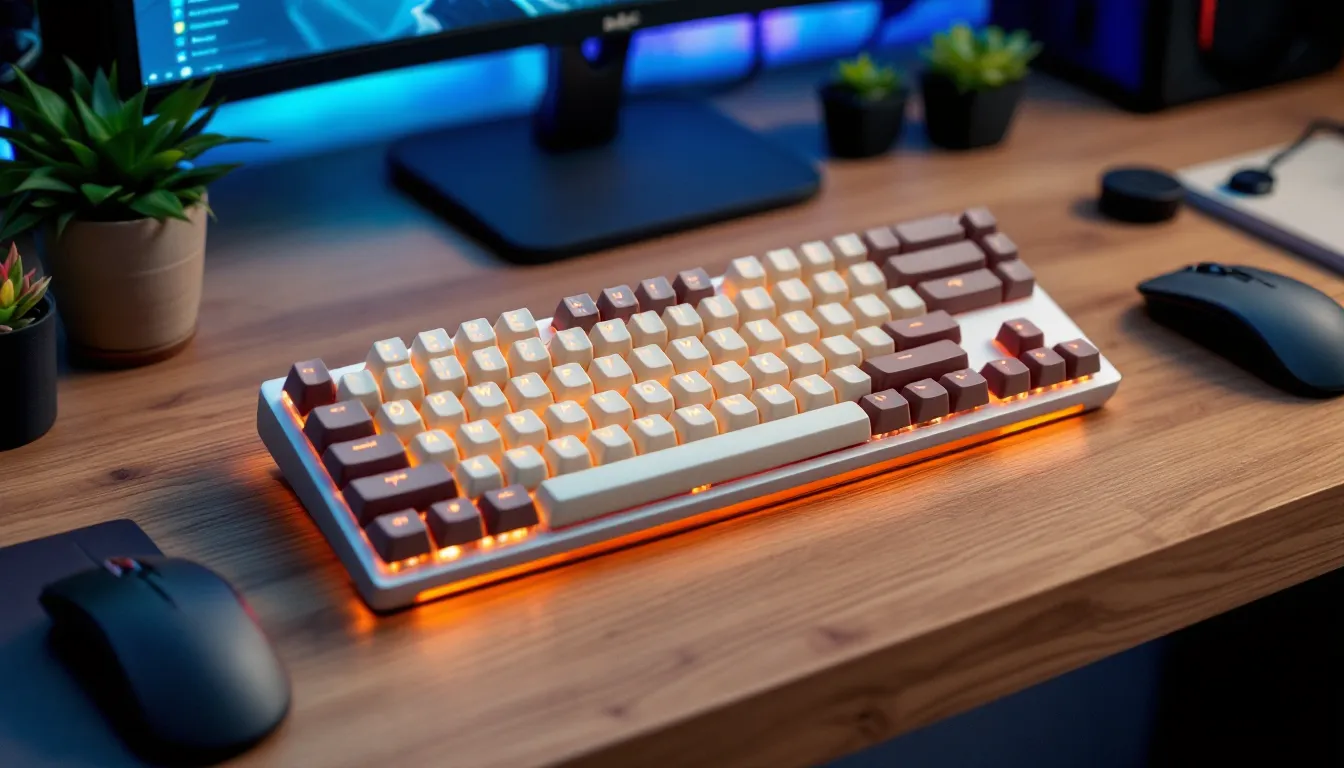

The keyboard under your fingers can define your entire gaming experience. In 2026, a growing wave of gamers is ditching sleek, modern designs in favor of something that feels like it belongs next to a CRT monitor and a stack of floppy disks. Retro gaming keyboards blend vintage aesthetics, think chunky keycaps, pastel colorways, and typewriter-inspired fonts, with cutting-edge switches, polling rates, and build quality that rival any contemporary flagship.
Whether you’re chasing that ’80s arcade vibe for your stream setup or simply want a board that stands out in a sea of RGB rainbows, retro keyboards deliver both form and function. But not all throwback designs are created equal. Some sacrifice performance for looks, while others nail the balance between nostalgia and competitive-grade responsiveness. This guide breaks down everything you need to know: what defines a retro gaming keyboard, why they’re surging in popularity, and how to pick the perfect board for your setup without falling for common pitfalls.
Key Takeaways
- A retro gaming keyboard blends vintage aesthetics like chunky keycaps and pastel colorways with modern performance features such as hot-swappable switches, USB-C connectivity, and 1000Hz polling rates.
- Retro gaming keyboards appeal to competitive players and streamers alike because they deliver zero input lag and responsive actuation without sacrificing the nostalgic charm of classic computing design.
- When choosing a retro gaming keyboard, prioritize hot-swap sockets, standard ANSI/ISO layouts, and QMK/VIA software support to ensure long-term customization and compatibility with future keycap sets.
- Premium options like the Keychron Q2 Pro ($189) and budget-friendly picks like the Akko 3068B Plus ($89) prove that quality retro gaming keyboards are available across all price points.
- Proper maintenance—cleaning keycaps every 2–3 months, lubricating stabilizers every 6–12 months, and protecting your board from direct sunlight—preserves both performance and vintage aesthetics for decades.
What Is a Retro Gaming Keyboard?
A retro gaming keyboard isn’t just a modern mechanical board painted beige. It’s a deliberate fusion of nostalgic design language with contemporary hardware. These keyboards pull visual cues from computing’s golden age, 1970s terminals, 1980s home computers like the Commodore 64, and early 1990s office workstations, while packing modern features like hot-swappable switches, USB-C connectivity, and N-key rollover.
Defining Retro Aesthetics in Modern Keyboards
Retro aesthetics revolve around specific visual markers: rounded keycap profiles (like SA or MT3), vintage color palettes (beige, cream, pastel pink, and mint green), and fonts inspired by typewriters or early IBM machines. You’ll often see DSA or Cherry profile caps with legends that mimic dot-matrix printing or old terminal displays.
Some boards lean into specific eras. The Epomaker RT100, for instance, channels 1980s beige-box PCs with its warm cream chassis and rounded corners. Others, like custom builds using GMK Retro keycap sets, go for a more eclectic ’90s vibe with bold primary colors and geometric patterns. The defining trait is intentionality, these boards don’t just look old by accident: they’re crafted to evoke a specific time period while delivering zero latency and high polling rates.
How Retro Gaming Keyboards Differ from Standard Mechanical Keyboards
The difference isn’t just cosmetic. Standard mechanical gaming keyboards in 2026 trend toward aggressive angular designs, low-profile switches, and RGB backlighting that cycles through 16.8 million colors. Retro boards often skip the rainbow light show in favor of single-color LEDs (warm white or amber, mimicking old phosphor monitors) or no backlighting at all.
Build materials also diverge. While mainstream gaming boards use ABS plastic or aluminum top plates, retro keyboards frequently feature PBT keycaps for durability and a matte texture that resists shine over time. Some premium models incorporate brass plates or wooden cases for added heft and acoustic dampening.
Functionality-wise, retro boards maintain the same core specs: mechanical switches (often Cherry MX, Gateron, or Kailh), 1000Hz polling rates, and full anti-ghosting. The trade-off? You might sacrifice dedicated media keys or macro rows in favor of cleaner, more minimalist layouts like 65% or 75% compact designs that mirror vintage keyboard footprints.
Why Gamers Are Choosing Retro-Styled Keyboards
The retro keyboard trend isn’t just hipster aesthetics. There are tangible reasons why competitive players and casual gamers alike are swapping out their RGB-laden boards for vintage-inspired alternatives.
Nostalgia Meets Performance
For gamers who grew up in the ’80s and ’90s, retro keyboards tap into formative gaming memories, booting up Doom on a family PC, typing cheat codes into StarCraft, or hammering out strategy guides on early forums. That emotional connection doesn’t compromise performance. Modern retro boards pack the same Gateron Pro switches, 8000Hz polling rates, and rapid trigger technology found in flagship esports peripherals.
Take the Keychron Q1 Pro running a retro keycap set: it delivers sub-1ms actuation with a gasket-mounted chassis for better acoustics, all while looking like it time-traveled from a 1987 office. Players who compete in games like Counter-Strike 2 or Valorant report zero input lag and the same snappy response they’d get from a Razer Huntsman or Corsair K100.
The nostalgia factor also extends to modding culture. Many enthusiasts building Raspberry Pi Retro setups want peripherals that match the aesthetic of their classic game libraries.
Aesthetic Appeal for Streaming and Content Creation
In an era where desk setups double as on-camera backdrops, a retro keyboard is a statement piece. Streamers on Twitch and YouTube have embraced pastel and cream-colored boards because they photograph well under soft lighting and contrast sharply with dark mousepads or wooden desk surfaces.
Unlike aggressive “gamer” designs with jagged edges and neon accents, retro keyboards project a curated, intentional vibe. They appeal to viewers who appreciate minimalism or vintage tech culture. Pro streamers like Pokimane and Ludwig have showcased custom retro builds on stream, driving demand for boards that look distinct without screaming “GAMER” in all caps.
Content creators also appreciate the quieter typing experience many retro boards offer. Linear switches with thick PBT keycaps produce less clatter than clicky blues, reducing the need for noise gates or post-production audio cleanup.
Key Features to Look for in a Retro Gaming Keyboard
Not every board with beige keycaps deserves a spot on your desk. Here’s what separates a genuinely solid retro gaming keyboard from a gimmick.
Switch Types and Actuation for Gaming
Switch selection is critical. Most retro keyboards offer Cherry MX Brown, Gateron Yellow, or Kailh Box White switches as stock options. For competitive gaming, linear switches (Reds, Yellows, Blacks) provide the fastest actuation without tactile bumps slowing down double-taps. Tactile switches (Browns, Clears) work better for hybrid use, gaming and typing, while clicky switches (Blues, Whites) deliver satisfying feedback but can annoy teammates on voice chat.
Actuation distance matters. Standard switches actuate at 2mm, but some retro boards now support rapid trigger or adjustable actuation (1.5mm to 3.6mm) via software, matching features found on boards like the SteelSeries Apex Pro. If you’re playing fast-paced shooters or MOBAs, prioritize boards with hot-swap sockets so you can test different switches without desoldering.
Keycap Design: Vintage Fonts and Color Schemes
Keycaps define the retro look. SA profile caps are tall and sculpted, resembling vintage typewriters. MT3 profile caps have deep dish scoops for finger comfort. DSA and XDA profiles are flat and uniform, mimicking older terminal keyboards.
Font choice is equally important. Look for keycap sets with retro legends: rounded sans-serif fonts (like those on IBM Model M keyboards), bold block letters, or icon-based modifiers (arrows instead of “Shift” text). Doubleshot PBT keycaps ensure legends won’t fade, even after thousands of hours of use.
Color schemes typically fall into three camps: beige and cream (classic PC aesthetic), pastel palettes (mint, pink, lavender), or bold primaries (red, blue, yellow accents on a neutral base). Some sets, like GMK Retro or Domikey Vintage, include matching accent keys and novelty caps (retro logos, cassette icons) for extra flair.
Build Quality and Materials
Cheap retro keyboards use thin ABS plastic cases that flex under pressure and produce hollow, tinny acoustics. Premium boards feature aluminum cases, brass weight inserts, or polycarbonate plates for rigidity and improved sound profiles.
Gasket mounting, where the PCB and plate sit on silicone or foam gaskets instead of rigid screws, delivers a softer, more muted typing feel. This construction method is common in high-end customs and is now trickling down to mid-tier retro boards like the Feker Alice 80 and Akko MOD007B.
Internal dampening matters too. Look for boards with case foam, PCB foam, and plate foam layers. These reduce ping and rattle, giving your board a more refined, thocky sound signature that complements the vintage aesthetic.
Connectivity Options: Wired vs. Wireless
Most retro boards offer both USB-C wired and 2.4GHz wireless modes, with some adding Bluetooth 5.1 for multi-device pairing. Wireless is convenient for clean desk setups, but wired connections still deliver marginally lower latency (sub-1ms vs. 1-2ms). For competitive gaming, many players stick with wired mode.
Battery life on wireless retro boards typically ranges from 30 to 80 hours depending on backlighting use. The Keychron V1 and Epomaker TH80 Pro both support 2000mAh+ batteries, lasting weeks on a single charge with LEDs off.
Avoid boards that use micro-USB in 2026, USB-C is now standard and far more durable for frequent plug/unplug cycles.
Top Retro Gaming Keyboards in 2026
Here’s a breakdown of the best retro keyboards across different price tiers and use cases, based on current availability and community feedback as of March 2026.
Best Overall Retro Gaming Keyboard
Keychron Q2 Pro (Retro Edition) – $189
The Q2 Pro hits the sweet spot between vintage looks and modern performance. It’s a 65% layout with a full aluminum CNC-machined case, QMK/VIA support for custom programming, and hot-swappable sockets for any 3-pin or 5-pin switch. The Retro Edition ships with SA-profile doubleshot PBT keycaps in a cream-and-mint colorway, plus warm white backlighting that mimics old terminal glow.
Poll rate maxes out at 1000Hz over USB-C, with wireless modes (2.4GHz and Bluetooth 5.1) offering 1-2ms latency. Gasket mounting and multi-layer foam give it a deep, satisfying sound profile. It’s compatible with Windows, macOS, and Linux, making it a versatile pick for multi-platform gamers.
The only downside? No rapid trigger or adjustable actuation, so hardcore competitive players might want a board with those features.
Best Budget Retro Gaming Keyboard
Akko 3068B Plus (Retro Beige) – $89
Akko’s 3068B Plus delivers shocking value. This 65% wireless board uses Akko’s proprietary V3 Cream Yellow switches (linear, 50g actuation), which feel smooth and consistent out of the box. The beige-and-gray keycap set mimics classic IBM aesthetics, complete with retro sublegends.
At under $100, you get Bluetooth 5.0, a 1900mAh battery (up to 60 hours wireless), and hot-swap sockets. The ABS case isn’t premium, but Akko includes internal silicone dampening to reduce hollowness. It’s a solid entry point for gamers who want the retro look without dropping $150+.
One caveat: The stock stabilizers can be rattly. Budget 20 minutes for lubing them, and this board punches well above its price.
Best Premium Retro Gaming Keyboard
Mode Envoy (Custom Retro Build) – $450+ (barebones)
For enthusiasts willing to invest, the Mode Envoy is a modular masterpiece. This 65% board offers swappable top cases, multiple mounting styles (top, leaf-spring, plateless), and a brass weight insert. Pair it with a GMK Retro or ePBT Retro keycap set, and you’ve got a one-of-a-kind board that looks and sounds incredible.
The Envoy supports per-key RGB or single-color LED modes, so you can dial in warm amber lighting for full vintage vibes. Build quality is flawless: zero flex, no rattle, and acoustics tuned for a deep thock. It’s compatible with PC gaming setups and requires custom firmware (QMK/VIA) for programming.
This isn’t plug-and-play. You’ll need to source switches, keycaps, and stabilizers separately, then assemble and tune the board yourself. But the result is a heirloom-quality piece that stands out in any retro gaming collection.
Best Compact Retro Gaming Keyboard
Epomaker TH66 – $119
If desk space is tight, the TH66 delivers retro charm in a 60% form factor. It measures just 11.5 inches wide, freeing up room for low-sens mouse swipes in shooters. The board ships with a cream-colored case, rounded SA keycaps, and Epomaker’s Flamingo linear switches (45g actuation, factory-lubed).
Even though its compact size, the TH66 includes tri-mode connectivity (USB-C, 2.4GHz, Bluetooth), 1000Hz polling wired, and hot-swap sockets. The gasket-mounted design and internal foam layers give it a premium sound profile that rivals boards twice its price.
The 60% layout means no dedicated arrow keys or F-row, so you’ll rely on function layers for navigation. Gamers who don’t need those keys, or who are comfortable with layers, will appreciate the extra mouse space.
How to Choose the Right Retro Gaming Keyboard for Your Setup
Picking the right board depends on your gaming habits, desk layout, and aesthetic goals. Here’s how to narrow down your options.
Matching Your Gaming Style and Genre Preferences
Different game genres place different demands on your keyboard. For FPS games (CS2, Valorant, Apex Legends), prioritize linear switches with low actuation force (45-50g) and rapid reset for fast strafing and crouch-spamming. Boards with 1000Hz+ polling and low latency (wired or 2.4GHz wireless) are non-negotiable.
MOBA and RTS players (League of Legends, Dota 2, StarCraft II) benefit from tactile switches that confirm keystrokes without bottoming out, reducing finger fatigue during long sessions. A 75% or TKL layout with dedicated F-keys makes item and spell hotkeys easier to access.
MMO gamers might want a full-size or 96% board with a numpad for macros and keybinds, though many modern MMOs work fine on compact layouts with layered functions. Pro settings often favor smaller boards for extra mouse room, as seen on pro player configurations where 60% and 65% layouts dominate.
Casual and indie gamers can focus purely on aesthetics and comfort. If you’re playing Stardew Valley or Hollow Knight, switch type matters less than whether the board feels good to type on for long sessions.
Considering Desk Space and Layout Options
Measure your desk before committing to a layout. Full-size boards (100%) span 17-18 inches, which can cramp mouse movement on smaller desks. TKL (80%) boards drop the numpad, saving 3-4 inches. Compact layouts, 75%, 65%, and 60%, range from 12 to 14 inches wide, ideal for setups where mouse space is premium.
If you game at a dedicated retro station, consider how the keyboard pairs with your monitor and other peripherals. A beige retro board looks cohesive next to a classic CRT display, while pastel colorways complement modern RGB setups with softer, warm-toned lighting.
Wireless boards offer flexibility for couch gaming or swapping between a desk and a living room setup. Wired boards eliminate battery anxiety and offer the absolute lowest latency, though the difference is imperceptible outside of esports-level play.
Customization and Modding Potential
One of the biggest appeals of retro gaming keyboards is customization. Unlike mass-produced gaming boards with proprietary keycaps and soldered switches, most retro keyboards are built for modding.
Swapping Keycaps for Enhanced Retro Vibes
Keycap swapping is the easiest and most impactful mod. If your board ships with stock ABS caps, upgrading to a premium PBT set transforms both look and feel. Popular retro keycap sets in 2026 include:
- GMK Retro (Cherry profile, ABS doubleshot, beige and blue accents)
- ePBT Kavala (Cherry profile, PBT, pastel pink and cream)
- Drop MT3 Retro (MT3 profile, tall sculpted caps, multiple colorways)
- Domikey Vintage (SA profile, thick PBT, typewriter-inspired legends)
Most retro boards use standard ANSI or ISO layouts, so finding compatible keycap sets is straightforward. Watch out for non-standard bottom rows (1.25u modifiers vs. 1.5u) on compact boards, some keycap sets don’t include those sizes.
You can also mix and match sets. Pairing a neutral base set with novelty accent keys (retro computer icons, cassette tapes, floppy disks) adds personality without overwhelming the aesthetic.
RGB Lighting vs. Authentic Vintage Look
This is a philosophical split in the retro keyboard community. Purists argue that RGB backlighting breaks immersion, old keyboards didn’t have lights, so modern retro boards shouldn’t either. Pragmatists counter that single-color LEDs (warm white, amber, or soft yellow) enhance usability in dim lighting without sacrificing vintage vibes.
Many boards offer a compromise: per-key RGB that you can set to a single warm color or turn off entirely. The Keychron Q1 Pro and Epomaker TH80 Pro both support this approach, letting you choose between full RGB rainbow modes and subtle amber glow.
If you’re building a custom board, consider underglowonly, LED strips on the bottom of the case that illuminate your desk without lighting the keycaps. It’s a modern touch that doesn’t clash with retro aesthetics.
Caring for Your Retro Gaming Keyboard
Retro keyboards, especially those with PBT keycaps and premium materials, can last decades with proper care. Here’s how to keep yours looking and performing like new.
Cleaning and Maintenance Tips
Dust and debris are the enemies of mechanical keyboards. Every 2-3 months, pull your keycaps and clean them in warm soapy water (dish soap works fine). Let them air dry completely before reassembling. For the keyboard chassis and PCB, use compressed air to blow out crumbs and pet hair from between switches.
Stubborn grime on keycaps? Use a soft toothbrush and isopropyl alcohol (70%+). Avoid harsh chemicals like acetone or bleach, which can discolor PBT plastic or damage printed legends.
Stabilizers (the metal bars under larger keys like spacebar and Enter) benefit from re-lubing every 6-12 months. Use dielectric grease on the wire ends and Krytox 205g0 on the stabilizer housing. This keeps them smooth and rattle-free.
If you’re using a wireless board, don’t let the battery fully discharge for extended periods. Charge it every few weeks even if you’re not actively using it, lithium batteries degrade faster when stored empty.
Preserving Vintage Aesthetics Over Time
PBT keycaps resist shine better than ABS, but they’re not immune. Minimize oil buildup by washing your hands before gaming sessions and wiping down keycaps weekly with a microfiber cloth.
Direct sunlight can yellow cream-colored plastics over time. If your desk is near a window, position your keyboard so it’s not in constant sun exposure, or use a keyboard cover when not in use.
For boards with painted or powder-coated cases (common on custom builds), avoid abrasive cleaners. Stick to damp microfiber cloths and gentle wiping. Scratches and dings can’t be fully prevented, but many enthusiasts embrace patina as part of the retro charm, like a well-worn leather jacket.
Common Mistakes to Avoid When Buying a Retro Gaming Keyboard
The retro keyboard market has exploded in 2026, and not every product lives up to the hype. Here are the pitfalls to dodge.
Prioritizing looks over performance. A keyboard can look like it stepped out of a 1985 Apple ad, but if it has 10ms input lag or mushy membrane switches, it’s useless for gaming. Always check polling rate, switch type, and latency specs before buying. Reputable reviewers on PCMag test these metrics rigorously, so cross-reference their findings.
Buying non-hot-swappable boards. If you’re spending $100+ on a retro board, get one with hot-swap sockets. Switch preferences are personal, and being stuck with factory switches you hate is frustrating. Hot-swap lets you experiment with linears, tactiles, and clickies without learning to solder.
Ignoring keycap compatibility. Some retro boards use non-standard layouts (1.75u Right Shift, 1u modifiers) that make finding replacement keycap sets difficult. Stick to boards with standard ANSI or ISO layouts unless you’re willing to hunt for custom sets or buy extras.
Overlooking software support. Cheap retro boards sometimes lack remapping software, forcing you to use default key layouts. QMK/VIA support is ideal, it’s open-source, platform-agnostic, and gives you total control over macros, layers, and lighting. Proprietary software can work too, but make sure it’s actively maintained and doesn’t require always-online logins.
Skipping sound tests. The typing sound is half the experience with retro boards. Before buying, search YouTube for typing tests of the exact model and switch combo you’re considering. What sounds “thocky” to one person might sound “clacky” or “pingy” to another. Don’t rely solely on marketing descriptions.
Forgetting about return policies. Keyboards are tactile products. If possible, buy from retailers with 30-day return windows so you can test the board at home. Enthusiast vendors like Drop, Keychron, and Epomaker typically offer hassle-free returns if the board isn’t opened or heavily used.
Conclusion
Retro gaming keyboards prove that nostalgia and performance aren’t mutually exclusive. Whether you’re chasing the chunky keycap feel of a ’90s office board or the pastel aesthetics of vaporwave culture, there’s a retro keyboard that fits your gaming needs without sacrificing response time or build quality.
The key is knowing what you’re optimizing for: budget, layout, switch preference, and how much you care about customization. A $90 Akko board can deliver 90% of the experience of a $400 custom build for most players, especially if you’re willing to spend an hour modding stabilizers and swapping keycaps.
As the market matures in 2026, expect even more options, wireless models with sub-1ms latency, hybrid boards that blend retro and modern design cues, and keycap sets that pay homage to ever more obscure vintage machines. The retro keyboard trend isn’t a fad: it’s a permanent fixture in gaming culture, fueled by both genuine appreciation for design history and a hunger for gear that feels personal in an era of mass-produced RGB sameness.