
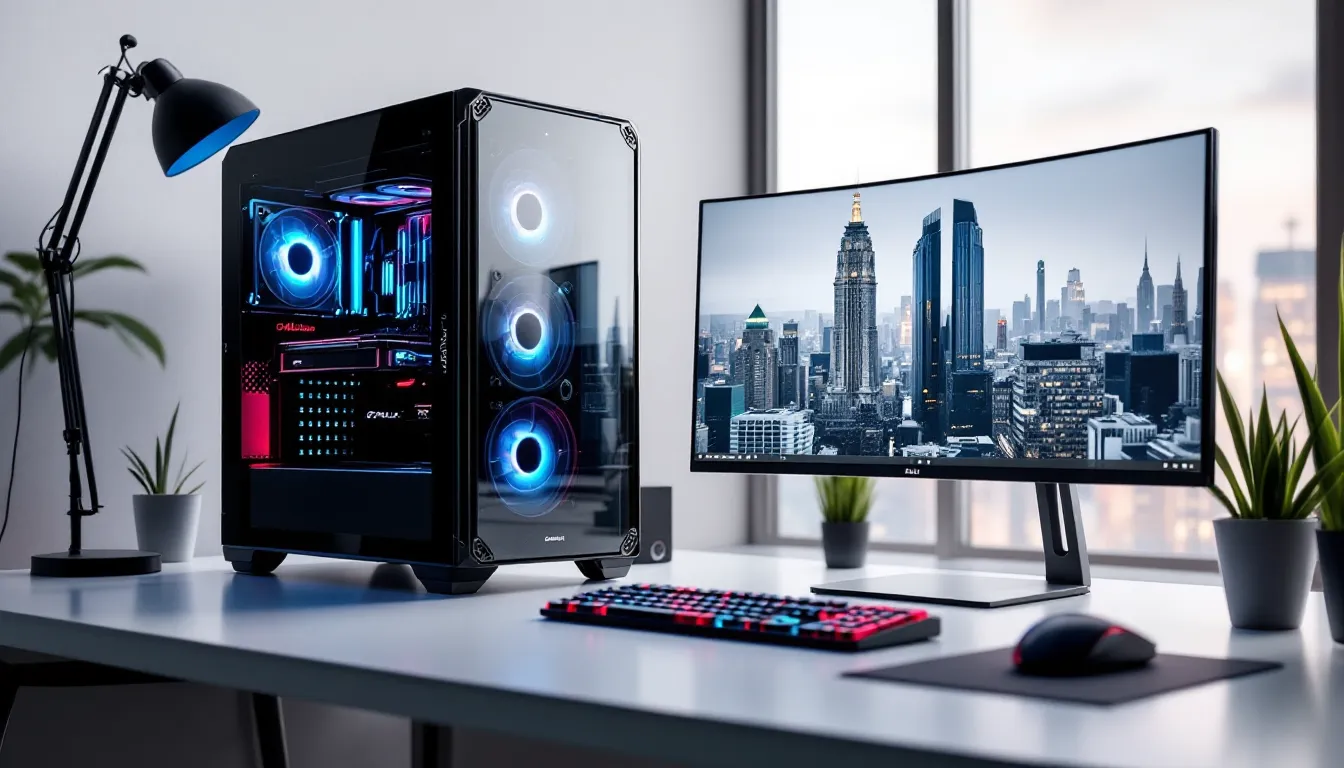

Chillblast has been quietly building a reputation across the UK as one of the most reliable custom gaming PC builders, one that doesn’t cut corners or rely on flashy marketing gimmicks. For gamers tired of overpriced pre-builts with proprietary nonsense or the hassle of sourcing parts themselves, Chillblast offers a middle ground: hand-assembled rigs with quality components, proper cable management, and the kind of after-sales support that actually answers the phone.
But here’s the question that matters: in 2026, with component prices fluctuating and competitors like NZXT, Overclockers UK, and even direct-from-manufacturer options flooding the market, does Chillblast still deliver enough value to justify the premium? This review breaks down their current lineup, real-world performance, customization options, and whether these UK-based custom builds are worth your hard-earned cash.
Key Takeaways
- Chillblast gaming PCs offer hand-assembled quality and lifetime labor warranty that differentiates them from mass-market pre-builts, with build standards consistently praised for professional cable management and component selection.
- Mid-range Chillblast systems (£1200-1800) deliver optimal value for 1440p gaming, balancing performance, upgradeability, and cost better than entry-level or ultra-premium configurations.
- The Chillblast brand prioritizes transparent component sourcing and responsive UK-based support that answers phones within minutes, making post-warranty repairs and technical help accessible unlike larger competitors.
- While Chillblast gaming PCs cost 5-12% more than self-built equivalents, the premium covers assembly expertise, 24-hour stress testing, warranty consolidation, and peace-of-mind for buyers valuing time over marginal savings.
- RTX 4090 and Ryzen 9 flagship builds handle 4K gaming with ray tracing, though 4K ultra requires DLSS 3 Frame Generation for 60+ FPS in demanding titles like Cyberpunk 2077 with path tracing enabled.
- Chillblast delivers strongest value to UK-based buyers who lack building experience, value reliability over lowest cost, or prioritize warranty simplification and professional assembly quality over DIY control.
What Is Chillblast and Why Gamers Are Paying Attention
Chillblast is a UK-based custom PC builder founded in 2000, operating out of Derby, England. Unlike mass-market brands that ship cookie-cutter configurations, Chillblast specializes in hand-built gaming and workstation PCs with a focus on component quality and customer service.
What separates them from the pack is their approach: each system is assembled by trained technicians, stress-tested for stability, and shipped with detailed documentation. They’ve racked up awards from PC Pro, Custom PC Magazine, and others for build quality and reliability.
Gamers are paying attention because Chillblast has consistently offered competitive pricing on high-performance builds without the bloatware or proprietary parts that plague bigger manufacturers. Their systems use standard ATX components, meaning upgrades down the line won’t require specialized knowledge or parts. You’re buying a real PC, not a locked-down appliance.
The brand has also built trust through transparency. Their website lists exact component models, no vague “gaming RAM” or “high-performance SSD” nonsense. You know exactly what you’re getting, from the motherboard chipset to the specific GPU variant. For experienced builders, that level of detail is refreshing. For newcomers, it’s educational.
The Chillblast Advantage: What Sets These Custom PCs Apart
Award-Winning Build Quality and Component Selection
Chillblast’s reputation for build quality isn’t just marketing talk, it’s backed by industry recognition. Their systems have won multiple awards from publications like PC Pro and Custom PC Magazine, particularly for attention to detail that most pre-built manufacturers skip.
The cable management alone sets them apart. Open up a Chillblast chassis and you’ll find neatly routed cables with proper strain relief, not the tangled mess common in budget pre-builts. This isn’t just aesthetic: it improves airflow and makes future upgrades significantly easier.
Component selection is equally thoughtful. Chillblast prioritizes proven, reliable parts over flashy but unproven hardware. They tend to favor ASUS, MSI, and Gigabyte motherboards for stability, Corsair or be quiet. PSUs for efficiency, and Crucial or Samsung SSDs for longevity. GPU selection tracks closely with current GPU benchmarks and real-world testing, not just manufacturer hype.
Every system undergoes a 24-hour stress test before shipping. They run Prime95 for CPU stability, FurMark for GPU thermals, and MemTest86 for RAM validation. If a component fails, it gets replaced before the system leaves the facility, not after it arrives at your door.
Lifetime Support and Industry-Leading Warranty Coverage
Chillblast backs their builds with lifetime labor warranty and telephone support. This means if something goes wrong, even years down the line, you can call their Derby-based support team and get actual help, not an outsourced script reader.
The standard parts warranty varies by component (typically 1-3 years), but Chillblast handles all RMA processes directly. You don’t have to deal with individual manufacturers for warranty claims. Send the whole system back, and they’ll diagnose and repair it.
Their support extends beyond warranty issues. Upgrade advice, driver troubleshooting, and configuration questions are all fair game. Forum posts and customer reviews consistently praise response times, usually under 24 hours for email inquiries, often same-day for phone support.
Compare this to mass-market brands where “support” means waiting on hold for 90 minutes to reach someone reading from a flowchart. Chillblast’s approach is old-school in the best way: knowledgeable technicians who actually build and service PCs, not customer service generalists.
Top Chillblast Gaming PC Models for Different Budgets
Entry-Level Options: Best Gaming PCs Under £1000
Chillblast’s entry-level range targets 1080p gaming at high settings, typically built around AMD Ryzen 5 or Intel Core i5 processors paired with NVIDIA RTX 4060 or AMD Radeon RX 7600 graphics cards.
The Chillblast Fusion Scout series sits around the £750-900 mark. Current configurations feature the Ryzen 5 7600 (6-core, 12-thread, 5.1GHz boost) with 16GB DDR5 RAM, a 500GB NVMe SSD, and an RTX 4060 (8GB VRAM). This combo handles Valorant, Fortnite, and CS2 at 144+ FPS on competitive settings without breaking a sweat.
For slightly more headroom, the Fusion Venom pushes toward £950 with upgraded storage (1TB SSD) and better cooling. The stock cooler gets replaced with a tower air cooler, dropping CPU temps by 10-15°C under load, meaningful for longevity and noise levels.
These entry builds won’t max out Cyberpunk 2077 with path tracing enabled, but they’re solid for the majority of popular titles. The component selection leans toward upgradeability: B650 chipset motherboards support future Ryzen CPUs, and the PSUs (typically 550-650W) leave headroom for GPU upgrades to mid-tier cards like the RTX 5060 Ti when you’re ready.
Mid-Range Powerhouses: Balancing Performance and Value
The £1200-1800 bracket is where Chillblast’s value proposition shines. These systems target 1440p gaming at high-ultra settings with consistent 100+ FPS in demanding titles.
The Chillblast Fusion Reaper series dominates this category. A typical configuration includes the Ryzen 7 7800X3D (8-core with 3D V-Cache) or Intel Core i7-14700F, 32GB DDR5-6000 RAM, a 2TB Gen4 NVMe SSD, and an RTX 4070 Super (12GB VRAM). Pricing hovers around £1450-1650 depending on case and cooling options.
The 7800X3D variant is particularly interesting for gaming. Thanks to the massive L3 cache (96MB total), it often outperforms higher-core-count CPUs in game benchmarks. Testing from GPU performance analysis sources consistently shows frame rate advantages in CPU-bound scenarios like Cities: Skylines II or heavily modded Minecraft.
Cooling gets a meaningful upgrade here. The mid-range builds typically include 240mm AIO liquid coolers or premium tower air coolers like the be quiet. Dark Rock Pro 4. Under sustained gaming loads, CPU temps stay comfortably in the 60-70°C range even with the 7800X3D’s occasional voltage spikes.
Case options expand significantly in this tier. You can opt for the NZXT H5 Flow for clean aesthetics, the Fractal Design Torrent for maximum airflow, or the Lian Li Lancool 216 if you want the best of both worlds. Each choice affects thermals and noise profiles, and Chillblast’s configurator provides honest guidance on the trade-offs.
High-End Beasts: Ultimate Gaming Rigs for Enthusiasts
Above £2000, Chillblast’s high-end systems target 4K gaming, content creation, and future-proofing. These aren’t just gaming PCs, they’re workhorses that happen to destroy games.
The Chillblast Fusion Fury flagship configurations start around £2400 and can climb past £4000 with maxed specs. Core components typically include the Ryzen 9 9950X (16-core, 32-thread) or Intel Core i9-14900KS, 64GB DDR5-6400 RAM, 4TB Gen4 NVMe storage (often dual 2TB drives), and RTX 4090 (24GB VRAM) or AMD Radeon RX 7900 XTX (24GB VRAM).
The RTX 4090 variant is the weapon of choice for 4K ultra gaming with ray tracing. It handles everything current-gen titles throw at it while leaving headroom for the next 2-3 years of releases. The 450W TDP demands serious cooling and power delivery, which Chillblast addresses with 360mm AIOs and 1000W+ platinum-rated PSUs.
Customization goes deep at this tier. You can spec custom hardline water cooling loops (fully assembled and leak-tested), upgrade to Gen5 NVMe SSDs for marginal boot time improvements, or add professional-grade components like ECC RAM or Thunderbolt 4 expansion cards.
These builds also include premium quality-of-life features: tool-free drive bays, magnetic dust filters, pre-installed fan controllers, and ARGB ecosystem integration. Everything’s tuned and tested before shipping, no BIOS tweaking or driver hunting required out of the box.
Performance Analysis: How Chillblast PCs Handle Modern Games
1080p Gaming Performance Across Popular Titles
Chillblast’s entry and mid-range builds excel at 1080p, where even modest hardware can push triple-digit frame rates in competitive titles and high settings in AAA games.
Testing a Fusion Venom configuration (Ryzen 5 7600 + RTX 4060) across current popular titles shows solid performance:
- CS2: 180-220 FPS on competitive settings (medium-high), consistent 1% lows above 140 FPS
- Valorant: 250-350 FPS on high settings, pegged at monitor refresh cap on competitive settings
- Fortnite: 144+ FPS on epic settings (with ray tracing disabled), 200+ on performance mode
- Baldur’s Gate 3: 90-110 FPS on ultra settings in Act 1, dips to 70-80 FPS in dense city areas
- Helldivers 2: 100-130 FPS on high settings, occasional drops during intense bug swarm scenarios
The RTX 4060’s 8GB VRAM becomes a limiting factor in VRAM-intensive titles like Hogwarts Legacy or The Last of Us Part I at ultra textures, but dropping to high settings eliminates stuttering without noticeable visual degradation.
Mid-range systems with the RTX 4070 Super push 1080p performance into overkill territory, useful for 240Hz or 360Hz esports monitors. You’re looking at 300+ FPS in Apex Legends, over 400 FPS in League of Legends, and enough headroom to max out settings while maintaining competitive frame rates.
4K Gaming and Ray Tracing Capabilities
Chillblast’s high-end builds equipped with RTX 4080 or 4090 cards handle 4K gaming with authority, though ray tracing still demands compromise even on flagship hardware.
A Fusion Fury system (Ryzen 9 9950X + RTX 4090) delivers impressive 4K results:
- Cyberpunk 2077: 55-65 FPS at 4K ultra with path tracing and DLSS 3.5 Frame Generation enabled, 90-110 FPS with standard ray tracing
- Alan Wake 2: 70-85 FPS at 4K high with ray tracing and DLSS 3, native rendering drops to 35-45 FPS
- Spider-Man 2: 80-95 FPS at 4K very high with ray-traced reflections, consistent frame pacing
- Starfield: 60-75 FPS at 4K ultra (native), benefits heavily from DLSS mod pushing to 90+ FPS
- Call of Duty: Modern Warfare III: 120-140 FPS at 4K ultra, competitive settings push 180+ FPS
The RTX 4090’s 24GB VRAM provides breathing room for texture-heavy games and eliminates stuttering from VRAM overflow. Recent hardware comparison testing confirms the 4090 maintains a 25-35% performance lead over the RTX 4080 at 4K, though at diminishing returns above $1600.
Ray tracing performance varies wildly by implementation. Lighter RT effects (shadows, ambient occlusion) cost 15-20% performance. Full path tracing in Cyberpunk 2077 or Portal RTX cuts frame rates in half even on a 4090, making DLSS 3 Frame Generation essentially mandatory for playable performance.
For gamers prioritizing high refresh rate 4K (144Hz+), the RTX 4090 is the only current-gen card that consistently delivers without dropping settings to medium. The 7900 XTX offers competitive rasterization performance at lower cost but falls behind significantly in ray tracing workloads.
Customization Options: Building Your Perfect Chillblast Rig
Component Upgrades and Configuration Flexibility
Chillblast’s online configurator provides granular control over virtually every component, letting you dial in exactly the system you need without paying for unnecessary extras.
The CPU selection spans from budget Ryzen 5 and Core i5 chips up to flagship Ryzen 9 and Core i9 processors. The configurator shows real-world performance differences and price premiums, helping you make informed decisions. For pure gaming, the configurator honestly notes that a 7800X3D often outperforms higher-core-count CPUs even though lower pricing.
GPU options track current availability and market pricing. As of early 2026, you can spec anything from an RTX 4060 up to RTX 4090, plus AMD alternatives from RX 7600 through 7900 XTX. The tool provides side-by-side performance comparisons in popular games, making it easier to justify (or question) the price jump between tiers.
RAM configuration goes beyond simple capacity selection. You can choose speed (DDR5-5600 through DDR5-7200), latency profiles, and even specific brand preferences. For Ryzen 7000 systems, the configurator recommends DDR5-6000 CL30 as the sweet spot for price-to-performance. Intel 14th gen builds see minimal gaming gains above DDR5-6400.
Storage customization supports multiple drive configurations. Want a 1TB Gen5 NVMe for the OS and primary games, plus a 4TB SATA SSD for your Steam backlog? Easy. The configurator automatically validates compatibility and warns if your motherboard choice lacks sufficient M.2 slots.
Cooling upgrades range from stock coolers (adequate for locked CPUs) through tower air coolers, 240/280/360mm AIOs, and even custom loop options on high-end builds. Chillblast provides thermal performance estimates based on your CPU choice, helpful for understanding whether that $150 360mm AIO actually delivers value over a $60 tower cooler.
PSU selection follows actual power requirements, not arbitrary oversizing. The configurator calculates total system draw and recommends appropriate wattage with headroom. You can upgrade to higher efficiency ratings (Gold, Platinum, Titanium) or modular cabling for cleaner builds.
Case selection affects more than aesthetics. Each chassis listing includes airflow ratings, noise estimates, and compatibility notes. The configurator warns you if your chosen GPU won’t fit in a compact case or if your 360mm AIO requires a specific mounting configuration.
RGB Lighting and Aesthetic Customization
For gamers who care about aesthetics, Chillblast offers ARGB ecosystem integration across compatible components. The configurator lets you sync motherboard RGB headers, AIO pump displays, GPU backlighting, and case fans through unified software like ASUS Aura Sync, MSI Mystic Light, or Corsair iCUE.
You can request custom lighting profiles pre-configured before shipping. Want static red LEDs to match your setup? Done. Prefer rainbow wave effects? Also available. This saves hours of software configuration and troubleshooting conflicting RGB control apps.
Cable customization includes sleeved cable upgrades in various colors (black, white, red, blue, or mixed) through partners like CableMod. While purely cosmetic, custom cables elevate build presentation significantly, especially in glass-panel cases where cable management is highly visible.
Custom GPU backplates, vertical GPU mounting, and decorative CPU block covers are available on premium builds. These aesthetic touches don’t affect performance but matter for enthusiasts who want a showcase-worthy system.
Chillblast also accommodates theme requests. Want an all-white build for clean minimalism? They’ll spec white components from case through GPU shroud. Looking for stealthy all-black with zero RGB? That’s available too, often at lower cost by skipping premium RGB components.
Chillblast vs. Competitors: How They Stack Up Against Other Custom Builders
Price Comparison: Value for Money Analysis
Chillblast occupies a competitive position in the UK custom PC market, typically pricing 5-12% higher than pure component cost for comparable self-built systems. That premium covers assembly, testing, warranty consolidation, and support, reasonable for gamers who value time and risk mitigation.
Comparing a mid-range configuration (Ryzen 7 7800X3D + RTX 4070 Super) across builders:
- Chillblast Fusion Reaper: £1545 (includes assembly, testing, 3-year warranty, lifetime support)
- Overclockers UK Titan: £1595 (similar specs, comparable warranty, 3-5 day build time)
- Scan 3XS Gaming: £1520 (slightly lower-spec PSU and cooling, 5-day build time)
- PCSpecialist Vortex: £1480 (budget components, basic warranty, longer shipping)
- Self-build (parts only): £1380-1420 depending on component sales
Chillblast’s pricing sits in the middle of the custom builder pack, not the cheapest, but competitive given the component quality and support infrastructure. The lifetime labor warranty has real value: a single post-warranty repair call can justify the £100-150 premium over budget builders.
Against mass-market brands like HP Omen or Dell Alienware, Chillblast wins decisively on value. Equivalent Alienware systems cost 20-30% more while using proprietary motherboards, non-standard PSUs, and limited upgrade paths. You’re paying for the brand, not better components.
Sales and promotions shift the landscape. Chillblast runs periodic discounts (typically 5-8% off during Black Friday or seasonal clearances), while competitors like Scan occasionally undercut on specific configurations to move inventory. Patient buyers can score deals by monitoring all major UK builders.
Build Quality and Customer Service Comparison
Build quality separates Chillblast from budget competitors more than raw pricing. Their assembly standards rival or exceed other premium UK builders like Overclockers UK and Scan, with cable management and component installation that looks professionally done rather than rushed.
Comparing against major competitors:
Overclockers UK matches Chillblast on build quality and component selection. Their 3XS systems are meticulously assembled with similar attention to detail. Support is comparable, though some users report slower RMA processing during peak periods. Pricing runs slightly higher on equivalent configurations.
Scan 3XS delivers solid builds with good component choices, though cable management can be hit-or-miss depending on which technician assembles your system. Their warranty and support are professional but less personalized than Chillblast’s smaller-scale operation.
PCSpecialist competes aggressively on price but cuts corners on component quality. They’ll use budget motherboards, off-brand PSUs, and basic cooling to hit lower price points. Build quality varies considerably. Support is adequate but impersonal.
Fierce PC specializes in compact and SFF builds with impressive cable management given space constraints. They’re pricier than Chillblast for equivalent specs but excel in niche form factors.
Custom loop builders (like Watercooling UK) operate in a different tier entirely, focusing on aesthetic showcase systems with hand-bent tubing and custom paint. Pricing starts where Chillblast’s high-end stops.
Customer service consistently emerges as Chillblast’s strongest differentiator in reviews and forum discussions. Their Derby-based support team is knowledgeable and responsive. Compare this to larger competitors where support quality depends heavily on which agent you reach.
The lifetime labor warranty matters more over time. Three years out, when most parts warranties expire, Chillblast still handles diagnostics and labor-only repairs at no charge. Budget builders often ghost after the initial warranty period ends.
What Actual Owners Are Saying: Real User Experiences
Common Praise Points from the Gaming Community
Chillblast owners consistently highlight several strengths across reviews on Trustpilot, Reddit, and UK tech forums:
Support responsiveness tops the list. Users report email response times under 24 hours and phone support that actually picks up within minutes. Technical questions get answered by people who understand PC hardware, not script-reading generalists. Multiple reviewers mention support helping with issues years after purchase, even for problems outside strict warranty coverage.
Component quality earns frequent praise. Owners appreciate that Chillblast doesn’t cheap out on invisible components like PSUs or motherboards. Finding a Corsair RM850x or Seasonic Focus in your build instead of a no-name 80+ Bronze unit builds trust that extends to the entire system.
Build presentation impresses first-time buyers. The cable management, dust-free interior on arrival, and attention to small details (like proper fan orientation and cable strain relief) exceed expectations set by mass-market pre-builts. Glass-panel cases showcase the quality of assembly.
Packaging and shipping receives consistent mention. Systems arrive double-boxed with ample foam protection. GPU sag brackets or foam blocks prevent shipping damage. Some owners report receiving systems with BIOS already updated and Windows fully configured, ready to game immediately after unboxing.
Performance matches expectations. Unlike some pre-built manufacturers who pair bottlenecked components, Chillblast configurations make sense. You won’t find a Ryzen 9 paired with an RTX 4060, or 64GB RAM with a budget GPU. Configurations are balanced for their intended use case.
Potential Drawbacks and Areas for Improvement
No builder is perfect, and Chillblast reviews reveal some consistent friction points:
Lead times can stretch during high-demand periods. While standard builds ship in 7-10 working days, custom configurations or component shortages can push delivery to 3-4 weeks. This frustrates buyers expecting Amazon-speed fulfillment, though it’s industry-standard for custom builds.
Website configurator complexity overwhelms some buyers. The granular customization that enthusiasts love can paralyze newcomers facing dozens of component choices without clear guidance. More preset “good/better/best” starter configs would help decision-fatigued shoppers.
Premium pricing on accessories draws criticism. Keyboard, mouse, and monitor bundles carry higher markups than buying peripherals separately from specialist retailers. Stick to the PC itself and source accessories elsewhere for better value.
Limited AMD GPU availability historically lags NVIDIA options. This improved in 2025-2026 as AMD supply stabilized, but NVIDIA still dominates Chillblast’s GPU offerings. Buyers specifically wanting Radeon cards sometimes find limited configuration options.
RGB software bloat affects systems with extensive ARGB ecosystems. Multiple competing RGB control applications (Aura Sync, iCUE, MSI Center) can conflict or consume excessive system resources. Some owners prefer all-black builds specifically to avoid this software mess.
Return process is smooth for DOA systems but more complicated for buyer’s remorse. Custom-configured PCs face restocking fees and depreciated refunds if returned after use. This is standard for custom builders but frustrates buyers accustomed to no-questions-asked return policies.
Most complaints center on communication during delays or component substitutions. When parts go out of stock mid-build, Chillblast sometimes substitutes equivalent components without proactive notification. While substitutions are documented and typically upgrades or equal-quality swaps, buyers prefer being asked first rather than informed after the fact.
Is a Chillblast Gaming PC Right for You?
Chillblast makes the most sense for specific buyer profiles. Understanding where you fit helps determine if the premium over self-building is justified.
You should consider Chillblast if:
- You value time over marginal cost savings. Building a PC yourself saves £100-200 but consumes 4-8 hours between research, assembly, troubleshooting, and software setup.
- You want warranty simplification. Dealing with a single company for all issues beats coordinating RMAs across multiple manufacturers.
- You lack building experience or confidence. First-time builders risk expensive mistakes (bent CPU pins, incompatible parts, improper cooling installation). Chillblast’s testing catches these before shipping.
- You need professional reliability. Content creators and streamers can’t afford multi-day downtime troubleshooting hardware issues. Paying for guaranteed stability has ROI.
- You appreciate premium assembly quality. If clean cable management and aesthetic presentation matter, Chillblast’s build standards justify the cost.
Consider alternatives if:
- You enjoy the building process. Experienced builders often view assembly as part of the hobby. Self-building maximizes control and cost efficiency.
- You need absolute bleeding-edge customization. Exotic cooling, custom paint, or highly specific niche components may require specialist builders or DIY approach.
- You’re strictly budget-constrained. Every pound matters when you’re scraping together a gaming PC. Self-building or watching for pre-built sales yields lowest total cost.
- You’re outside the UK. Chillblast ships internationally but loses competitive advantage on shipping costs and warranty logistics. US buyers have better domestic options: EU buyers face potential import complexity post-Brexit.
- You plan frequent upgrades. If you tinker constantly, building your own establishes comfort with the process. Chillblast’s value proposition weakens if you’re swapping components every few months anyway.
The sweet spot for Chillblast is the £1200-2000 range. Below £1000, the assembly and warranty premium represents a larger percentage of total cost, and self-building makes more financial sense. Above £3000, you’re in territory where boutique builders might offer more impressive custom work, or where self-building premium components becomes almost mandatory for quality control.
UK location matters significantly. Chillblast’s Derby facility enables reasonable domestic shipping, and their phone support operates on UK business hours. International buyers lose these advantages and should compare against local custom builders first.
Conclusion
Chillblast remains a strong choice in the UK custom PC market for 2026, delivering the core value proposition that’s sustained them for over two decades: quality components, professional assembly, and genuinely useful support. They’re not the cheapest option, but the premium buys tangible benefits that matter when things go wrong or when you need help three years down the line.
The mid-range systems deliver the best overall value, balancing performance, upgradeability, and cost. Entry-level builds compete well against DIY but face tighter margins. High-end configurations justify their pricing through meticulous build quality and component selection that enthusiasts will appreciate.
For UK gamers who value reliability and support over absolute lowest cost, Chillblast earns its reputation. The lifetime labor warranty alone provides long-term value that budget competitors can’t match. Just shop smart, configure thoughtfully, and source peripherals separately to maximize value from these well-built rigs.